Skip to the next track when playing media
Double tap, then hold the last
tap for 2 seconds
Decrease volume (on the left earbud)*
Increase volume (on the right earbud)*
Switch between Bluetooth and USB Type C dongle audio source*
Triple tap, then hold the last
tap for 2 seconds
Enable/disable Gaming Mode
While in pairing mode, clear paired devices
*You can also use these functions when using the USB Type C wireless dongle as the audio source.
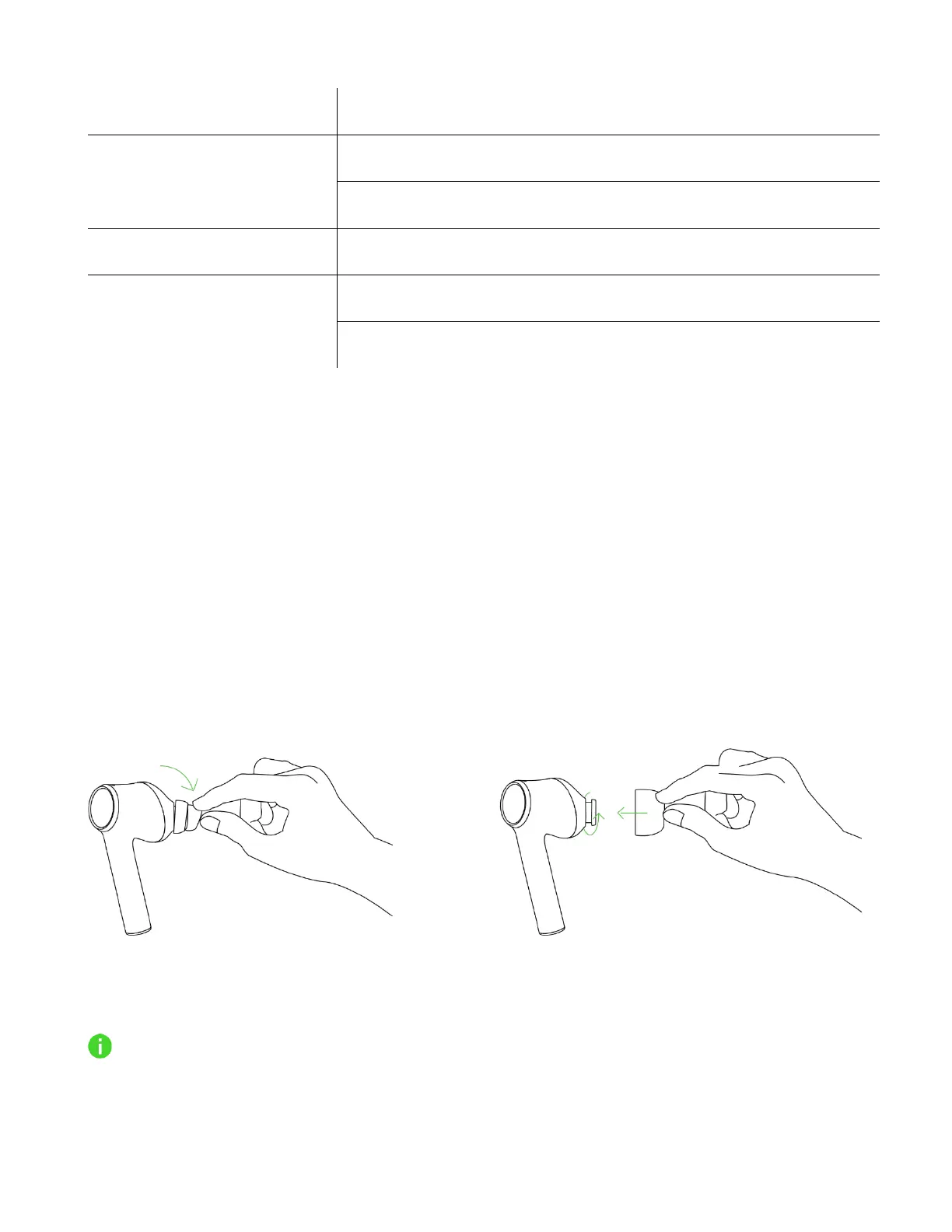
USING THE SILICONE EAR-TIPS
The silicone ear-tips offer increased comfort, sound isolation, and security. Various size options let
you achieve a comfortable, secure fit that reduces unwanted noise.
Removal Replacement
Due to individuals' different ear canal sizes, it's recommended to interchange the ear-tips to a
larger or smaller size to improve comfort and sound quality and achieve a proper seal.









 To Next Page