Other Mousing Surfaces
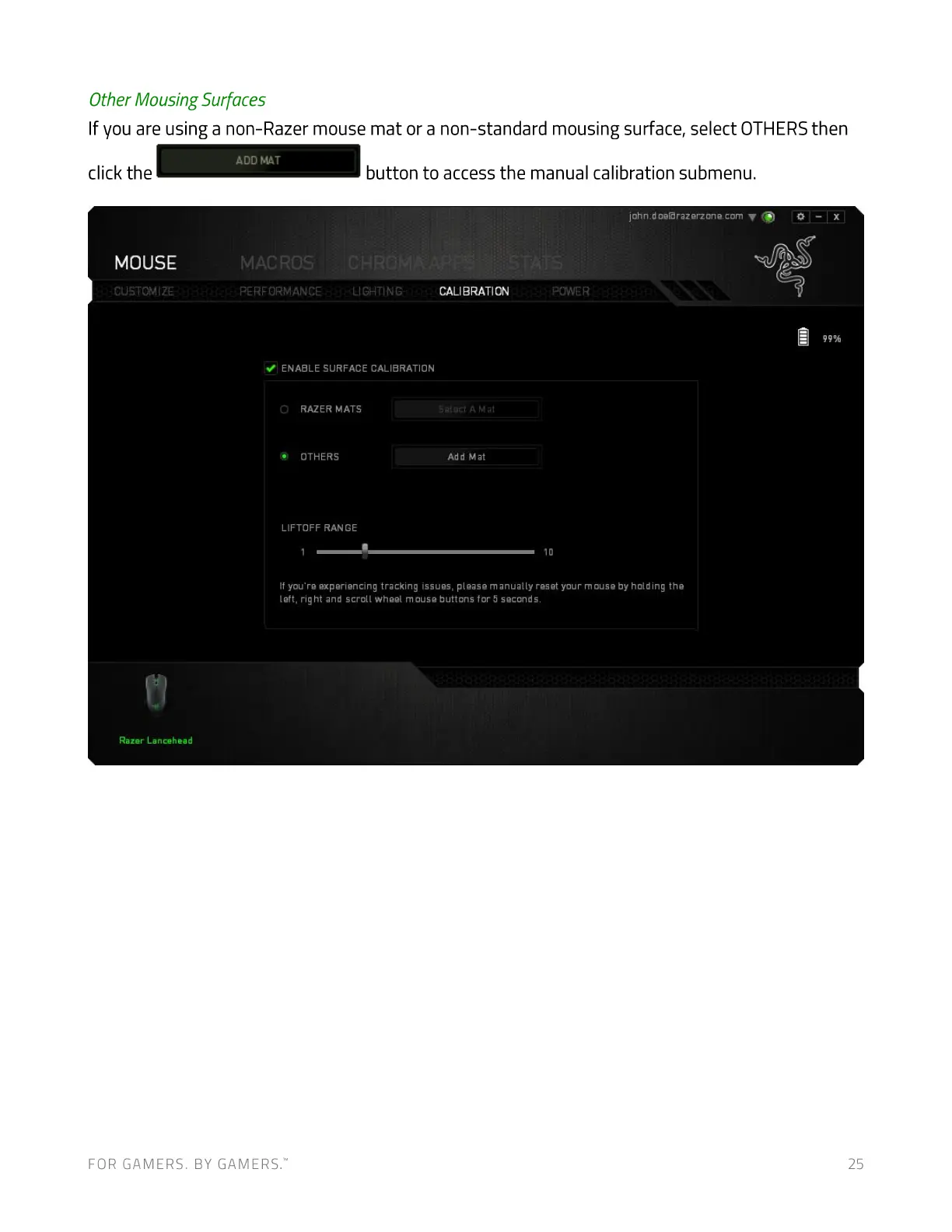
If you are using a non-Razer mouse mat or a non-standard mousing surface, select OTHERSthen
click the
MOUSE
CUSTOMIZE
Razer Lancehead
FOR GAMERS. BY GAMERS:
MAT
MACROS
PERFORMANCE
button to access the manual calibration submenu.
john.doeßrazerzone.com V (9 0
LIGHTING CALIBRATION
Sæ:oct A Mat
Add Mat
POWER
ENABLE SURFACE CALIBRATION
a RAZER MATS
OTHERS
LIFTOFF RANGE
1 10
If you're experiencing tracking issues. please manually reset your mouse by holding the
left, right and scroll wheel mouse buttons for 5 seconds.
25


 To Next Page