GAMES LIST
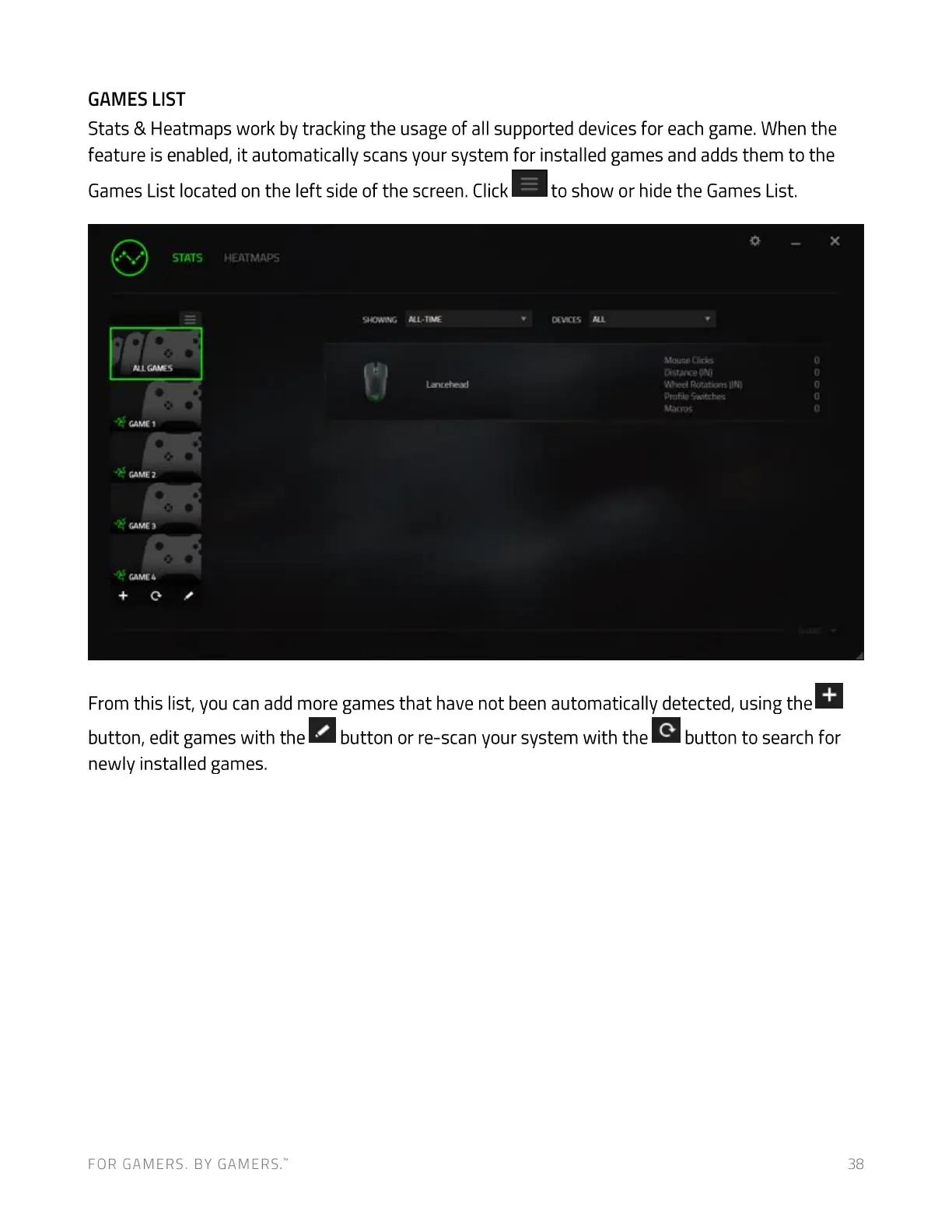
Stats & Heatmaps work by tracking the usage of all supported devices for each game. When the
feature is enabled, it automatically scans your system for installed games and adds them to the
Games List located on the left side of the screen. Click
to show or hide the Games List.
STATS
Ci'rvs
'*Wee' 'IN}
Oroiiie
From this list, you can add more games that have not been automatically detected, using the
button, edit games with the button or re-scan your system with the
newly installed games.
FOR GAMERS. BY GAMERS:
button to search for
38


 To Next Page