12 | For gamers by gamers™
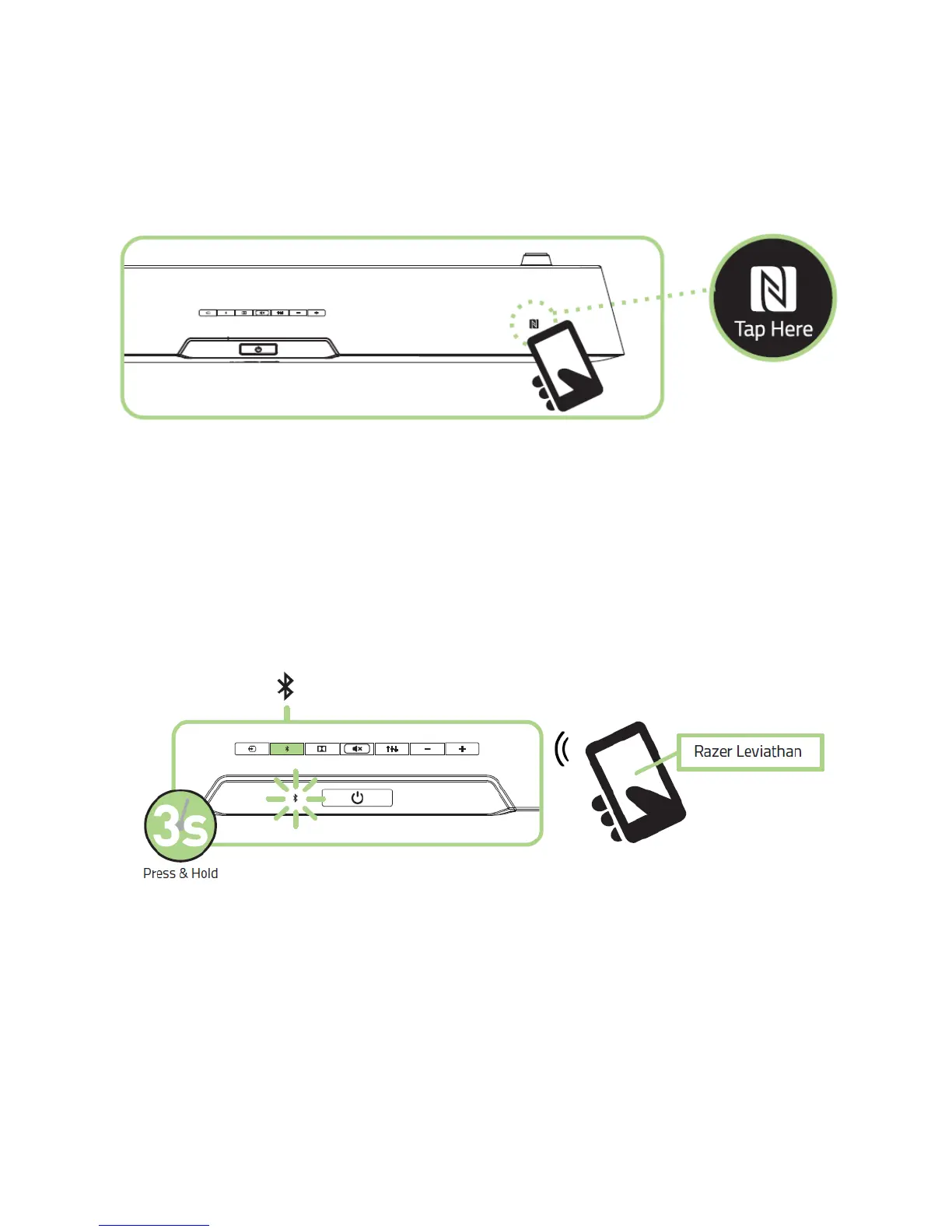
Connecting via NFC
Simply activate NFC on your device and tap it on the sound bar's NFC connectivity
region to pair. The input source will automatically switch to the paired device.
Connecting via Bluetooth®
If you are using the sound bar’s Bluetooth input for the first time, or if you are
attempting to connect a new device to the sound bar via Bluetooth, you will need to
activate pairing mode.
1. Press and hold the Bluetooth button for 3 seconds or more to enter pairing mode.
The Bluetooth LED will start to blink slowly.
2. Enable Bluetooth on your device and search for new Bluetooth devices.
3. Select “Razer Leviathan” from the list of devices found.
4. Wait for pairing to complete. The Bluetooth indicator on your sound bar top panel
will change to a solid lighting once successfully connected.



 To Next Page