VOLUME UP BUTTON
Single press Increase audio volume
Press and hold Continuously increase audio volume
VOLUME DOWN BUTTON
Single press Decrease audio volume
Press and hold Continuously decrease audio volume
CENTER BUTTON/ MULTI-FUNCTION BUTTON
Single press
Play/pause
Accept incoming call or end current call
Put call on-hold and accept incoming call
End call and swap to on-hold call
Press and hold for 2 seconds
Launch voice command
Reject incoming call
Swap calls
Press and hold for 5 seconds Enable/ disable Gaming Mode
Double press Skip track
Triple press Previous track
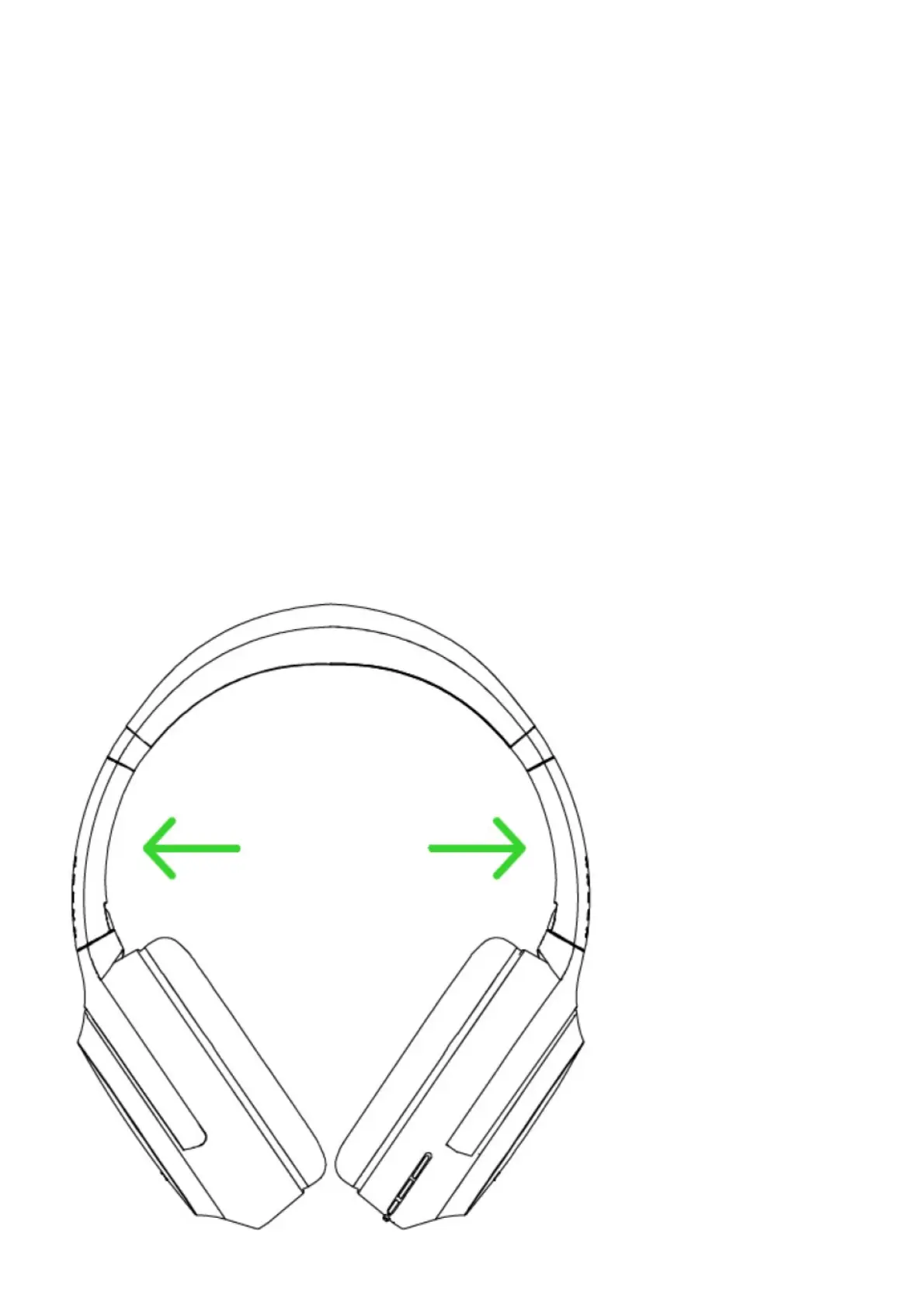
Comfort
We recommend stretching the headset gently apart before placing them over your head to minimize headband stress.
However, please avoid overstretching the headset beyond its technical limits.



 To Next Page