9 | razer
BATTERY / PAIRING INDICATOR BEHAVIOR
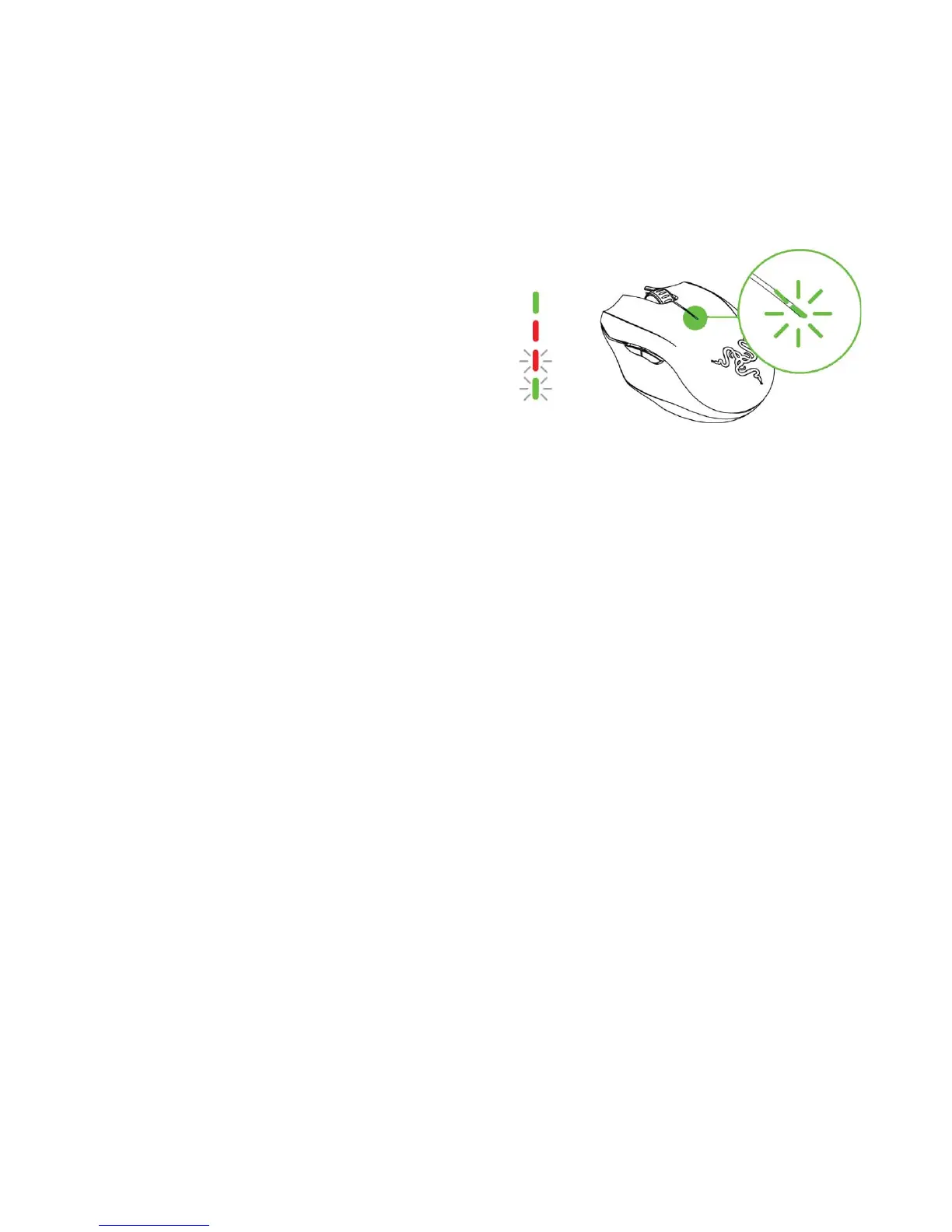
The Razer Orochi has a battery indicator on its top cover, which displays the status of
battery life. While in pairing mode, the indicator will be blinking in green.
Note: For safety, use only alkaline batteries and do not mix old batteries with new ones.
BATTERY INDICATOR BEHAVIOR
31% to 100% Battery
Green lit LED
Red lit LED
Red blinking LED
Bluetooth pairing mode Green blinking LED



 To Next Page