30 | For gamers by gamers™
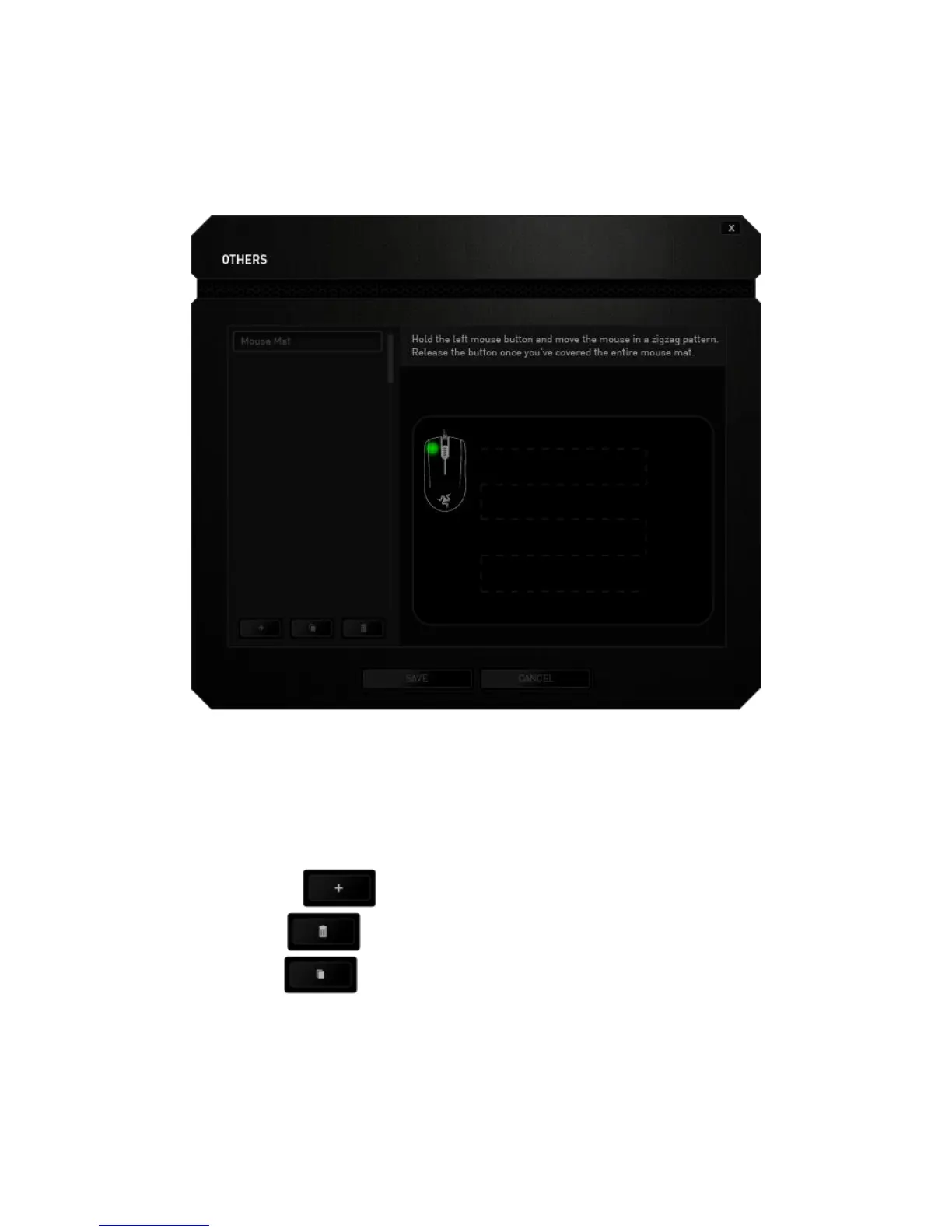
Once the Razer Precision Sensor is ready, press and hold the left mouse button then
move the mouse across your entire mousing surface in a zigzag pattern as shown on
the screen guide.
When you have moved through your entire mousing surface, release the left mouse
button. This will bring you back to the manual calibration submenu which contains new
information regarding your mousing surface.
There are also other options available in this section such as adding a new mouse mat
setting by clicking the button, deleting the currently selected mouse mat
setting by clicking the button or duplicating the currently selected mouse mat
setting by clicking the button.


 To Next Page