8 | For gamers by gamers™
WIRELESS MODE
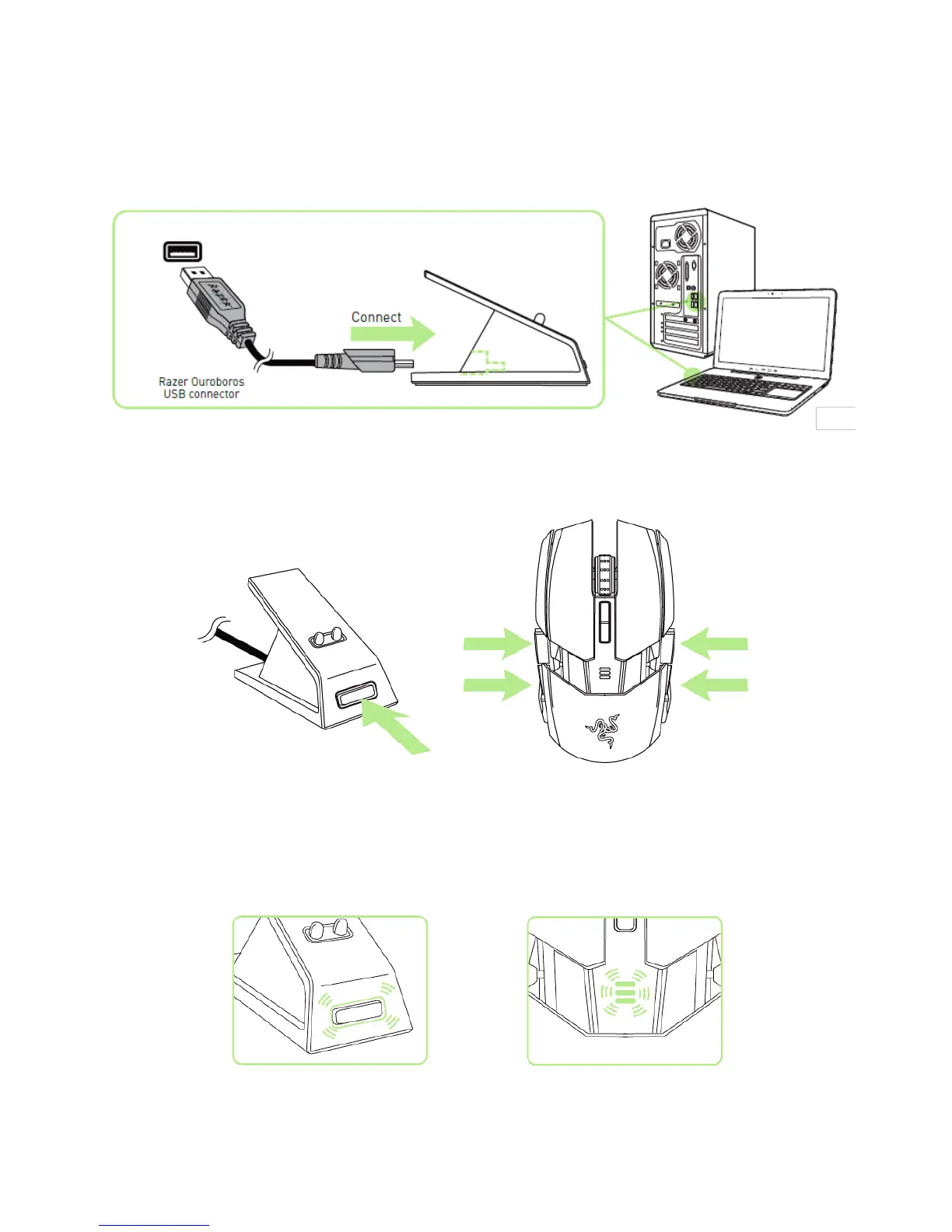
1. Connect the USB Connector Cable to the Charging Dock and to your computer.
2. Press the pairing button and mouse buttons 7, 6, 9 and 10 simultaneously.
3. The lights on the mouse and Charging Dock will start flashing to indicate the pairing
process. The mouse is ready for use when the lights on the mouse and the Charging
Dock have stopped blinking.


 To Next Page