Hardware
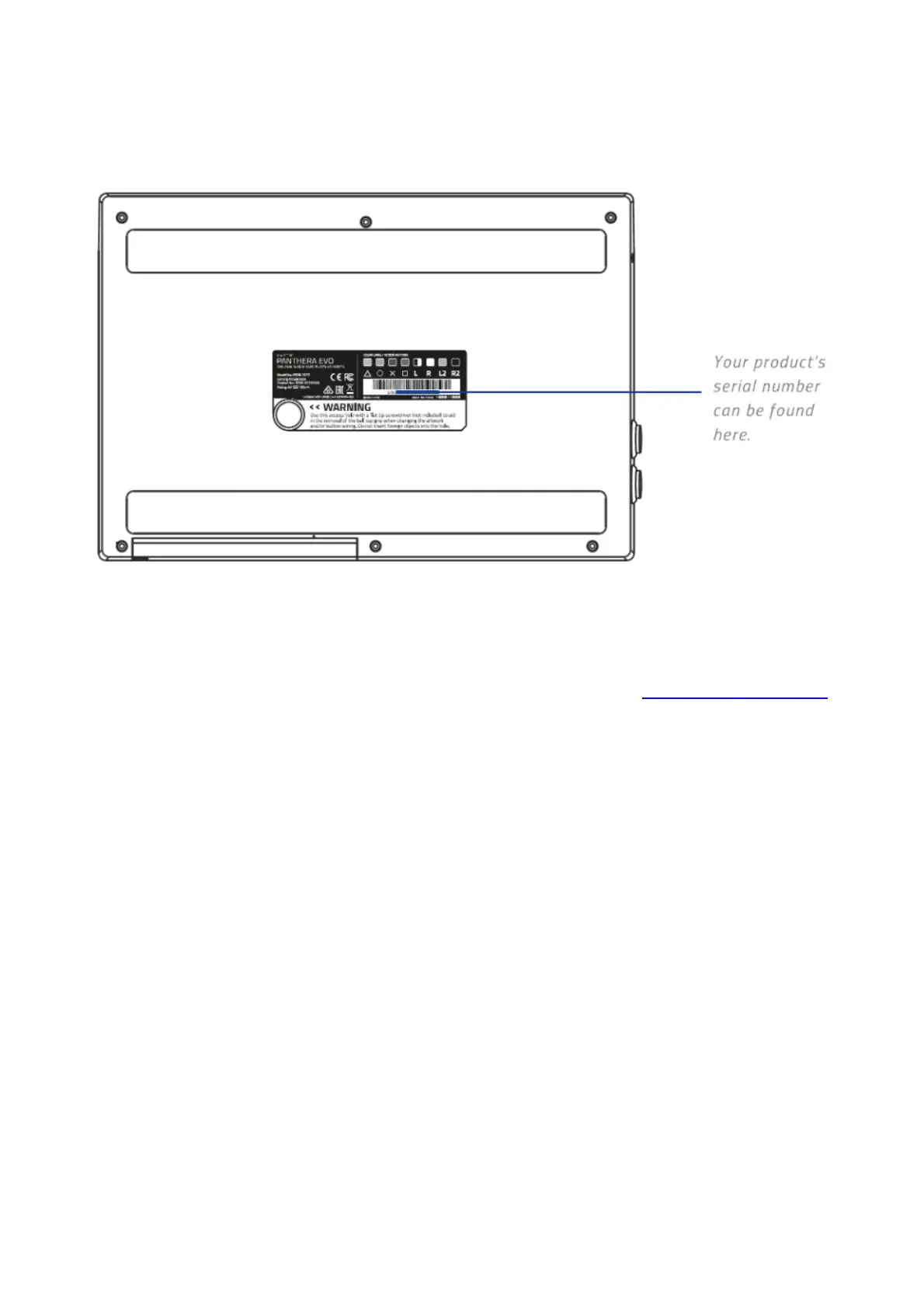
How do you find the serial or model number on the Razer Panthera Evo?
The serial or model number of your Razer Panthera Evo can be found at the bottom of the unit. See
the image below for more details:
Can I modify my Razer Panthera Evo arcade controller like the older Razer
Panthera arcade controller?
Yes. You can change the artwork as well as the joystick top and buttons. The Panthera Evo arcade
controller has fully accessible internals for easy modification. Refer to the online master guide for
instructions.
I broke my joystick, buttons, or acrylic cover on my Razer Panthera Evo, can I buy
spare parts?
Stay tuned, we hope to make some spare parts available for the Razer Panthera Evo. However, at this
time we do not have spare parts available.
What does the Lock or Unlock switch do on the Panthera Evo arcade controller?
Sliding the Lock or Unlock switch to the Lock position will disable the “Share”, “Options”, and PS
Buttons.
Can multiple Razer Panthera Evo arcade controllers be connected to the PS4 at
the same time?
Yes, you can connect up to 4 Panthera Evo controllers to your PS4.
Will I be able to control the audio volume from the Razer Panthera Evo arcade
controller?
To control the audio volume from the Razer Panthera Evo arcade controller, simply:
1. Press the audio volume control button to cycle through the levels of the headset port. You may
also press and hold the audio volume control button.
2. Flick the joystick upwards or downwards to increase or decrease the audio volume of the headset
port respectively.










 To Next Page