GETTING STARTED
CHARGING YOUR RAZER PRO CLICK
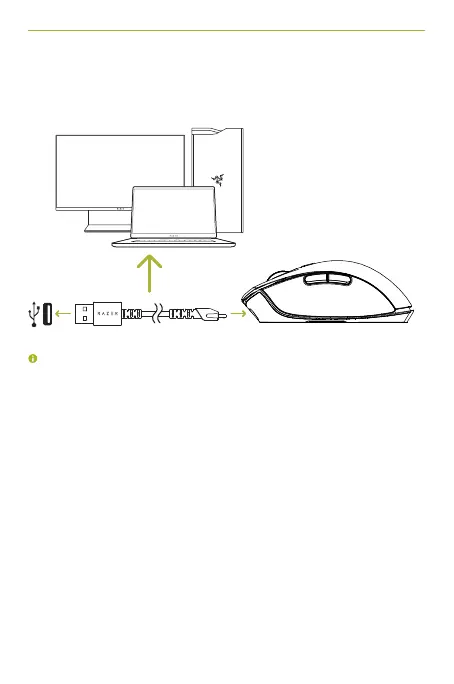
Plug the charging cable from your computer’s USB port to your Razer Pro Click.
This connection also acts as the wired mode for your device
For best results, please fully charge your Razer Pro Click before using it for the first
time. A depleted battery will be fully charged in approximately 4 hours. If the Razer
Pro Click has not been used for an extended period, you may need to recharge it
before use.
The Razer Pro Click requires a USB connection that can supply sufficient power
to charge the battery. The battery charging process of the Razer Pro Click may be
affected if connected to a non-powered USB hub or non-powered USB ports found on
certain keyboards and other peripherals. When in doubt, it’s preferable to connect the
Razer Pro Click directly to the USB port of your computer.
ProClick_IPIG_200520.indd 5 26/5/20 10:30 AM



 To Next Page