CHARGING INDICATOR
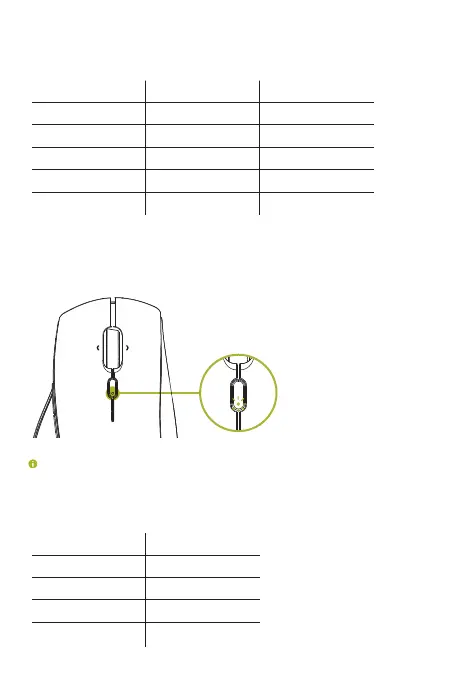
While plugged in, the Razer Pro Click’s status indicator will display its current battery
level (as shown below).
<25% Red
Battery level Color
Breathing
Effect
26-50% Yellow Breathing
51-75% Orange Breathing
76-99% Green Breathing
100% Green Static
LOW POWER INDICATOR
The Razer Pro Click ’s status indicator will blink red twice in repeated intervals to
indicate that the battery’s power is less than 5%. This lighting sequence will repeat
until the battery is drained or the mouse is connected to the PC via the charging cable.
The indicator percentage can be customized using Razer software.
You can also check the Razer Pro Click’s battery level by moving the slider switch from
power off to either Bluetooth or 2.4Ghz mode. The status indicator will light up in the
color according to the mouse’s current power level (as shown below).
<25% Red
Battery level Color
26-50% Orange
51-75% Yellow
76-100% Green
ProClick_IPIG_200520.indd 6 26/5/20 10:30 AM



 To Next Page