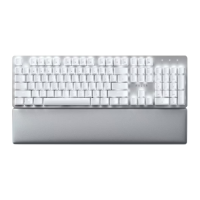
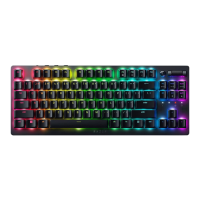
Keyboard Type Full-sized Mechanical Keyboard with soft-touch coating
Design Metal top cover
Available switch type(s) Razer™ Orange Mechanical Switch
Wireless Connectivity 2.4GHz / Bluetooth
Multi-hosts connection Up to 4 devices
Battery Life
· With backlighting on: Up to 12 Hrs. on Bluetooth and 2.4GHz
· With backlighting off: Up to 84 Hrs. on Bluetooth and 78 Hrs. on
2.4GHz
Backlighting White LED Backlit keys
Key Roll-over 10-key roll-over
Gaming Mode No
Fully Programmable Keys Yes
Synapse Synapse 3
On-the-Fly Macro Recording No
1000Hz Ultrapolling No
Additional Game Keys No
Audio Pass-Through No
Dedicated Media Controls Yes
USB Pass-Through No
Wrist Rest No
Cable Type 2m Detachable braided fiber cable
Approx. Dimension LxWxH (mm) 442 mm x 133 mm x 39 mm
Approx. Weight (grams) 900g
How To
How do I connect the Pro Type to a host for the first time?
1. Set the mode switch to BT.







 To Next Page