Troubleshooting
When the keyboard is paired to my laptop via Bluetooth, the connection intermittently
cuts in and out. How do I fix this?
Try updating your Intel drivers by visiting: https://www.intel.com/content/www/us/en/support/intel-
driver-support-assistant.html
My Pro Type keyboard has suddenly stopped responding
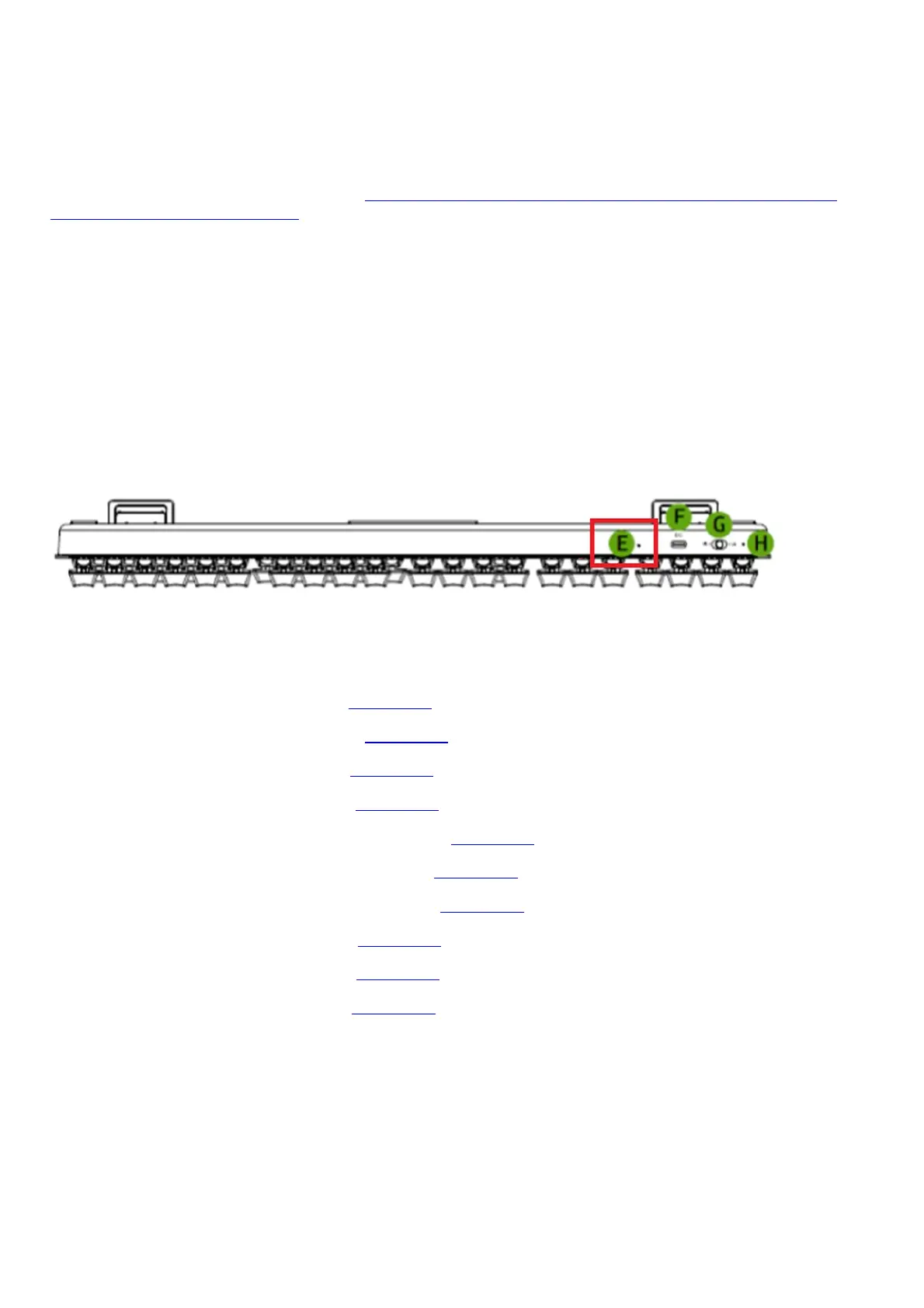
Please try to recover the keyboard by pressing the reset button using a paper clip for at least 1 second. The
reset button is the small hole beside the USB-C port. Pressing the reset button will not erase any of the
Synapse 3-configured settings.
Software & Downloads
Do I need to install additional software or drivers to use the Razer Pro Type?
You may use the standard keyboard functions by simply connecting the Razer Pro Type | RZ03-03070 to your
computer through either wired, 2.4GHz, or Bluetooth connecting.
Other advanced features can be configured by installing Razer Synapse 3 on your computer or laptop.
Downloads
Razer Pro Type Master Guide (French) – Download
Razer Pro Type Master Guide (Japanese) – Download
Razer Pro Type Master Guide (Korean) – Download
Razer Pro Type Master Guide (Russian) – Download
Razer Pro Type Master Guide (Portuguese-Brazilian) – Download
Razer Pro Type Master Guide (Simplified Chinese) – Download
Razer Pro Type Master Guide (Traditional Chinese) – Download
Razer Pro Type Master Guide (German) – Download
Razer Pro Type Master Guide (Spanish) – Download
Razer Pro Type Master Guide (English) – Download
Related Manuals:
1. Razer Kiyo Pro Manual and FAQ Razer Kiyo Pro Support FAQ At a Glance: Razer Kiyo...
2. Razer Pro Glide Manual and FAQ Razer Pro Glide Support FAQ At a Glance: Razer Pro...
3. Razer Naga Pro Manual and FAQ Razer Naga Pro Support FAQ At a Glance: Razer Naga...
4. Razer Pro Click Manual and FAQ Razer Pro Click Support FAQ At a Glance: Razer Pro...
5. Razer DeathAdder V2 Pro Manual and FAQ Razer DeathAdder V2 Pro Support FAQ At a Glance: DeathAdder...
6. Razer BlackWidow V3 Pro Manual and FAQ Razer BlackWidow V3 Pro Support FAQ At a Glance: Razer...







 To Previous Page