4. SETTING UP YOUR KEYBOARD
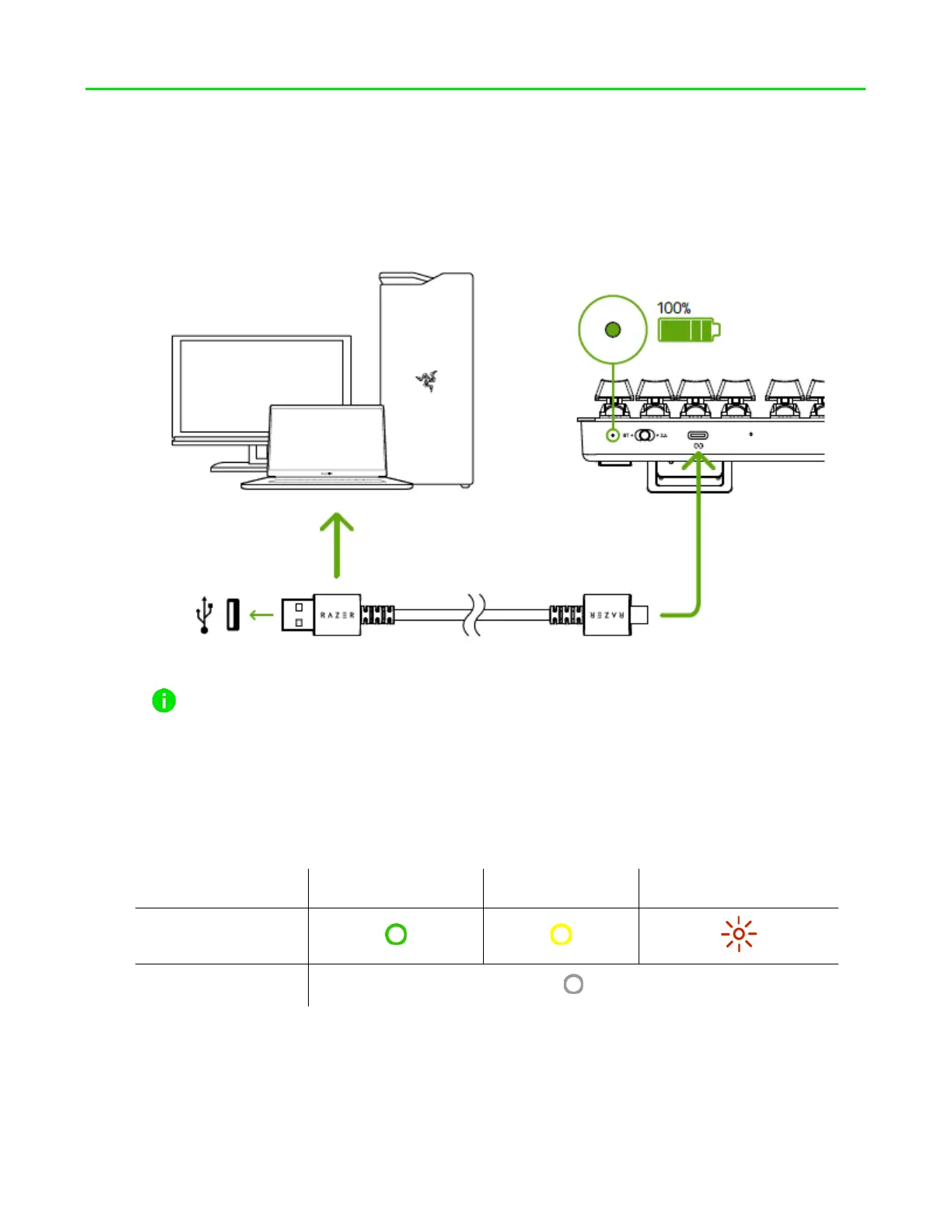
1. Connect your keyboard to a powered USB port using the Type C to Type A cable to
charge your keyboard. The power indicator will turn solid green when the keyboard is
fully charged.
For best results, fully charge your keyboard before using it for the first time. It
takes approximately 2 hours to fully charge your keyboard. You may continue
using the keyboard while plugged in.
When your keyboard is not charging, the power indicator will only briefly display its
battery status.
Mode Charged Low Critical*
2.4 / BT
OFF
*Critical status indicates that the keyboard’s battery is less than 3%. This lighting
sequence will repeat until the battery is drained or the keyboard is being charged.
FOR GAMERS. BY GAMERS.
™
4





 To Next Page