4. INSTALLING RAZER SYNAPSE 3
Razer Synapse 3 allows your chassis and other supported Razer peripherals to download drivers and firmware
updates. Razer Synapse 3 also enables your custom settings to be stored on cloud servers so that they can be
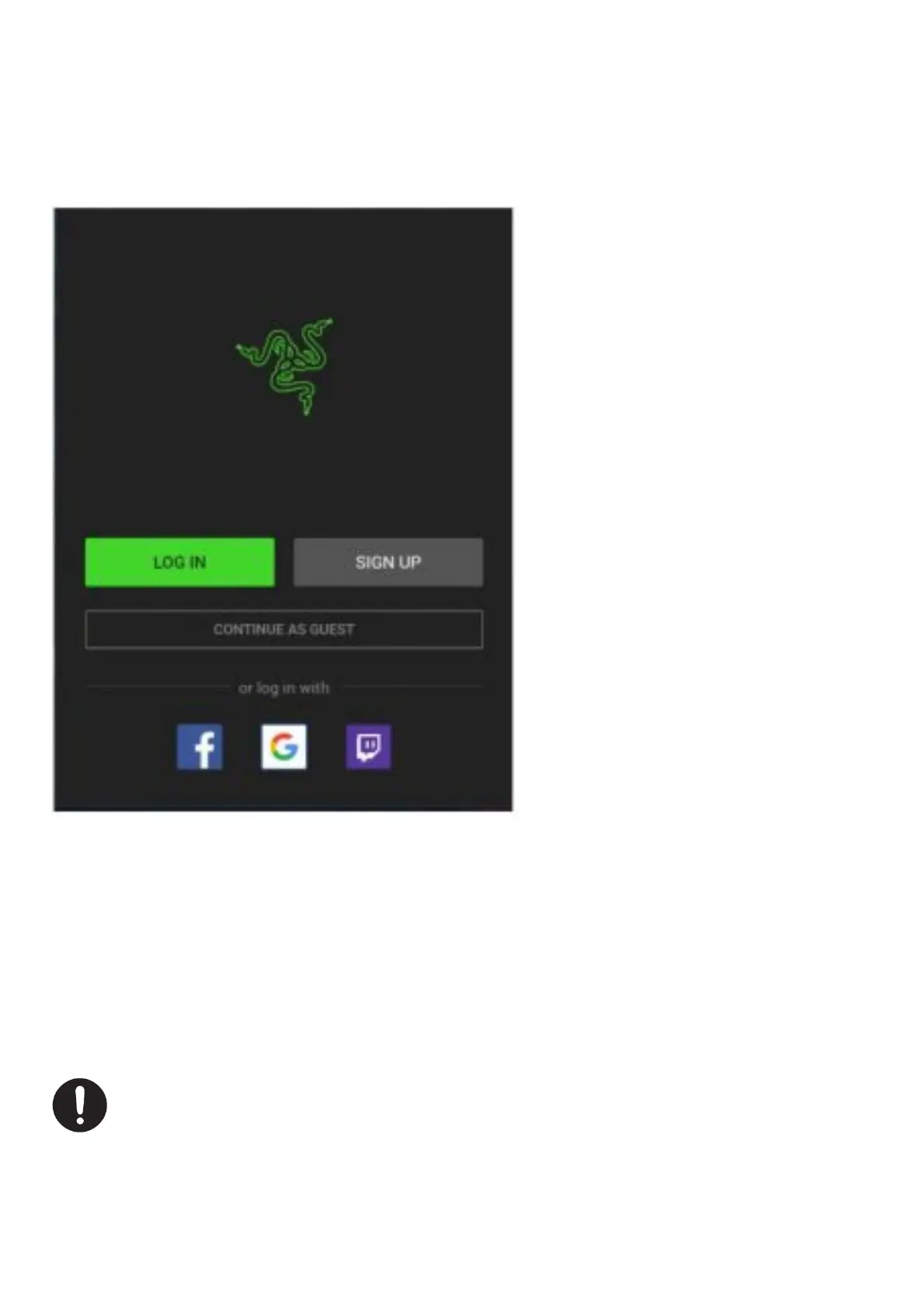
accessed anytime, anywhere. To start using Razer Synapse 3, follow these steps:
1. Make sure your computer has an active internet connection.
2. Install Razer Synapse when prompted or download the installer from razer.com/synapse.
3. Sign up for a Razer ID or log in with an existing account**.
4. Wait until Razer Synapse 3 automatically downloads and installs the necessary drivers.
*Applicable for Windows 8 or later **You may also
continue as a guest; however, you won’t be able to store any of your settings to the cloud.
5. CONFIGURING YOUR TOMAHAWK ATX
Disclaimer: The features listed here require vou to log into Razer Svnapse 3. These features are also subject
to change based on the current software 11ersion and vour Operating Svstem.
SYNAPSE TAB
The Synapse tab is your default tab when you first launch Razer Synapse.
Dashboard


 To Next Page