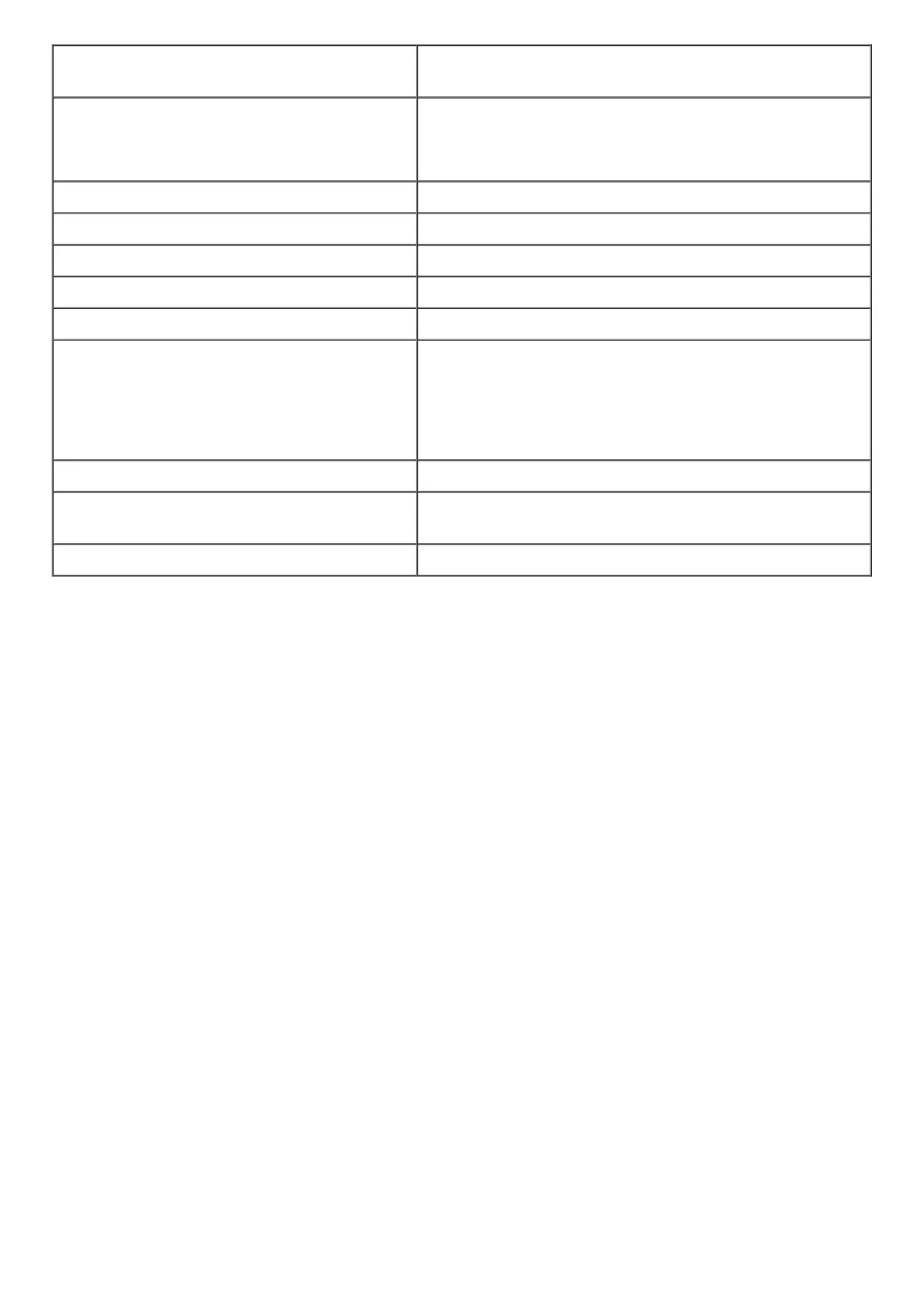
Compatibility:
Xbox One, Xbox Series X or PC (Windows® 10 and
above)
Features:
· Hair Trigger mode with trigger stops
· Remappable Front-Facing Buttons
Buttons: 2 remappable multi-function buttons
Grip: N/A
Connectivity: Wired (USB)
3.5mm Audio port: Yes
Weight (without cable): 274 g / 0.604 lbs
Approximate size:
· L: 161.5 mm / 6.35 in
· W: 105.8 mm / 4.16 in
· H: 65 mm / 2.55 in
Cable: 9.8 ft / 3 m wired cable with strain relief
Interchangeable thumbsticks and D-
Pad:
No
Lighting: N/A
How do the “Trigger stop switches” work on the Razer Wolverine V2?
Trigger stop switches shorten the travel distance and response time (Active Hair Trigger Mode) of the
left and right triggers. To enable, slide the Trigger stop switches outward and slide inward to disable.
What is Razer Wolverine V2’s compatibility?
The Razer Wolverine V2 works perfectly with all Xbox One models, Xbox Series X, and PC running
Windows 10 64-bit with a free USB port.
How To
How to set up the Razer Wolverine V2
Updated 19-Nov-2020 | Answer ID: 3943
To get started with the Razer Wolverine V2, connect the Razer Wolverine V2 to an Xbox console or PC.










 To Next Page