17
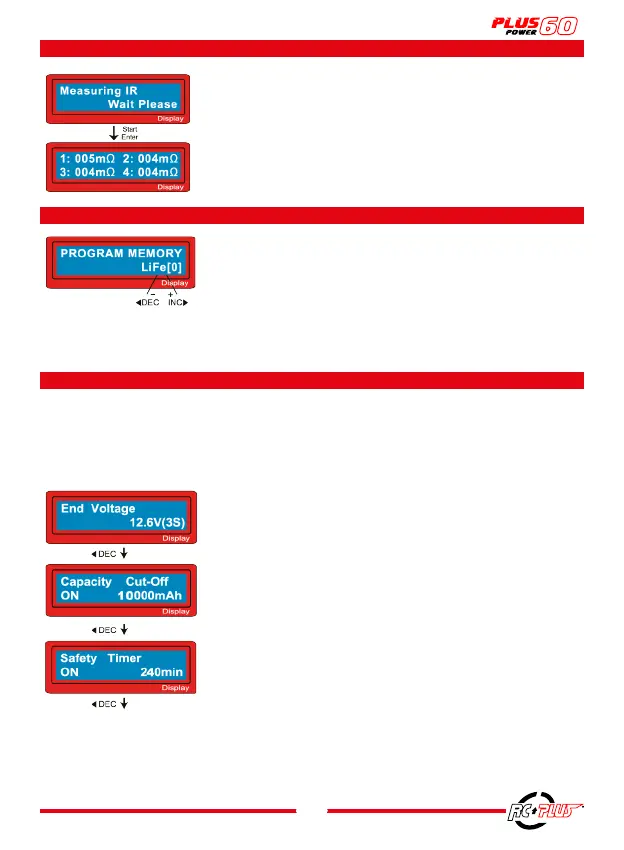
9. BATTERY INTERNAL RESISTANCE TESTING PROGRAM
10. SAVE / LOAD DATA PROGRAM
11. INFORMATION DISPLAYED DURING THE PROCESS
Press “
ENTER
” to access.
Display the Internal Battery Resistance data.
Press “
INC
” to check the total Internal Resistance data of the
battery (press “
INC
” again to display the IR data of the cell).
After connecting and programming your battery, press
BATT
TYPE/STOP
to select “
PROGRAM MEMORY
” according to your
battery (LIPO, LIFE, NICD...).
Press”
INC (+) OR DEC (-)
” to select a MEMO number.
Press”
ENTER
” to automatically store the charge/discharge data
of your battery.
You can store 5 batteries per battery type. [0]-[4].
When the program is finished, the final voltage is displayed.
Here, the display shows that the
AUTO CUT-OFF
function is
active and indicates the capacity setting value.
Here, the display shows that the
AUTO TIMER
function and the
number of minutes setting is active.
You can access various information on the LCD display during the loading or unloading
process. When you press the
DEC
button, the charger displays the user settings. You can
also monitor the voltage of each cell by pressing the
INC
button.



 To Next Page