19
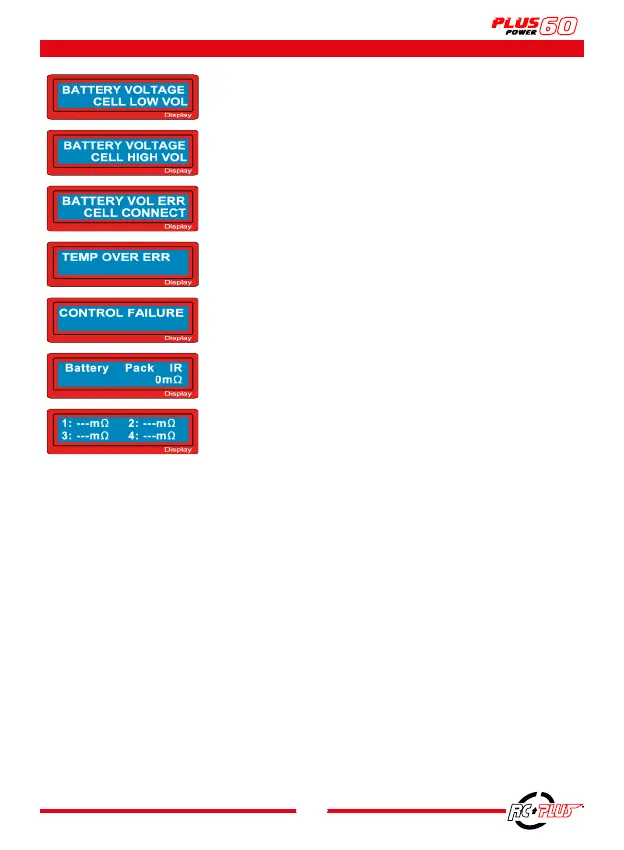
The voltage of a cell is too low, check each cell.
The voltage of a cell is too high, check each cell.
Bad connection detected; check all connectors and cables.
Charger temperature is too high, let the charger cool down.
The processor can no longer control the supply current for any
reason. The unit needs to be repaired.
The balancing port and/or cable is not connected properly.
12. WARNING AND ERROR MESSAGES



 To Next Page