30
Calendar
Calendar enables you to look up the date
easily.
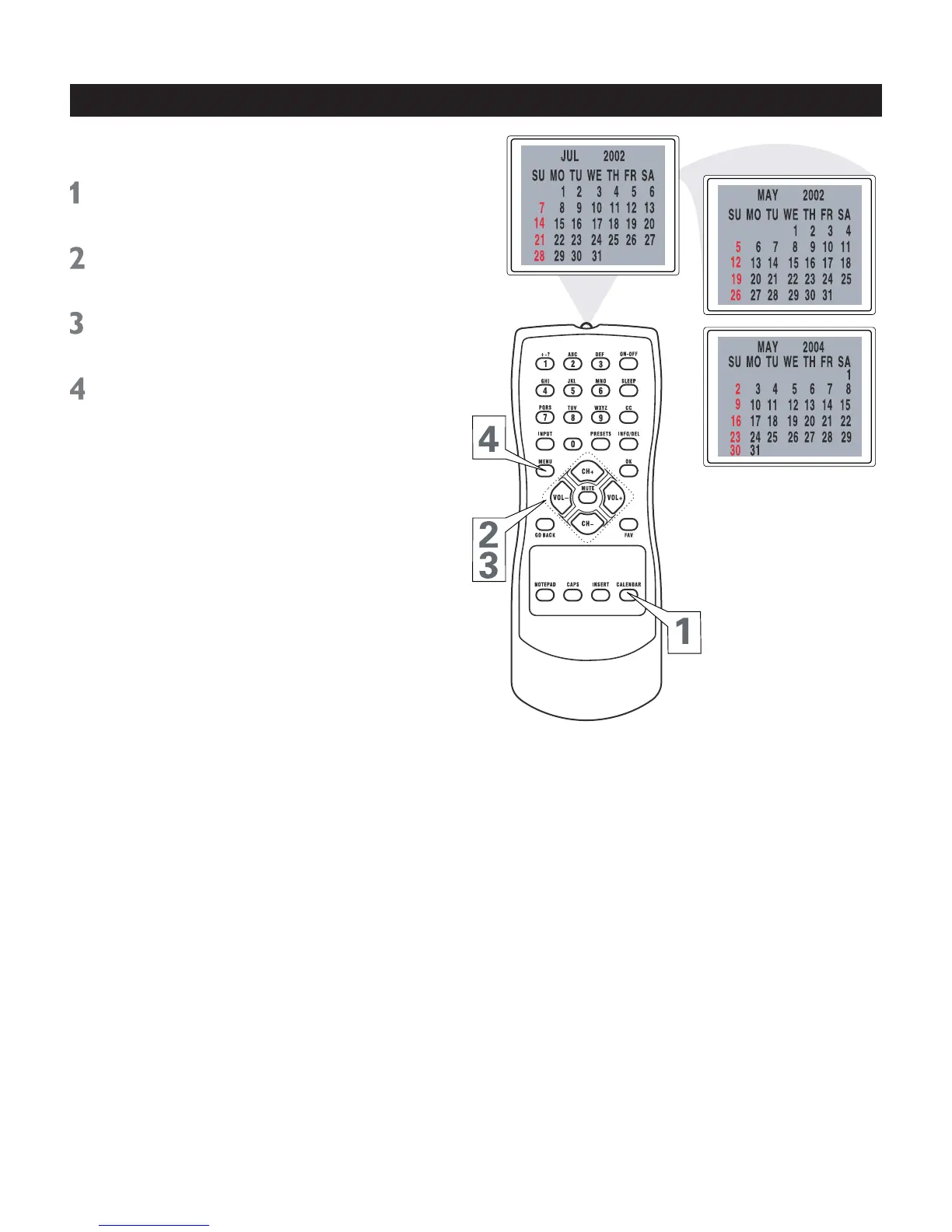
Press CALENDAR to display the
calendar.
Press VOL+ or VOL- to display a
previous or future month, e.g. MAY.
Press CH+ or CH- to to display a
previous or future year, e.g. 2004.
Press MENU repeatedly to exit the menu
or the menu will automatically disappear
within a few seconds if no buttons are
pressed on the remote control.



 To Next Page