7
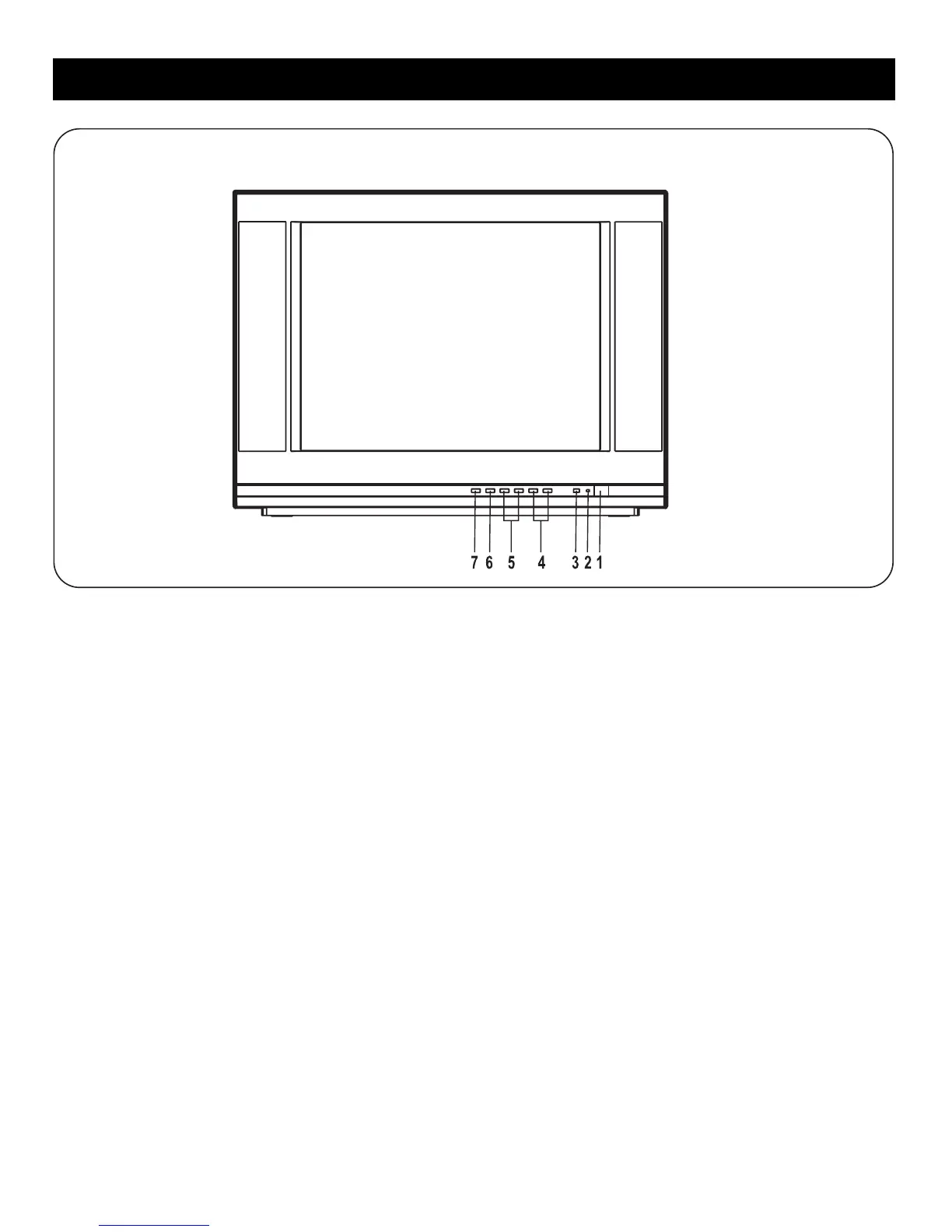
Description of Buttons on the TV
Front View
1. POWER BUTTON
Turns the TV on and off.
2. STANDBY (LED INDICATOR)
Lights to show AC power is available.
3. SENSOR
Receives infra-red signals from the remote.
4. CHANNEL +/- BUTTONS
Selects channel numbers.
Selects items in the submenus.
5. VOLUME +/- BUTTONS
Press to decrease/increase the volume.
6. MENU BUTTON
Press to display the main menu.
7. TV/VIDEO (INPUT) BUTTON
Choose between TV programming and the AV input.
Front View



 To Next Page