4
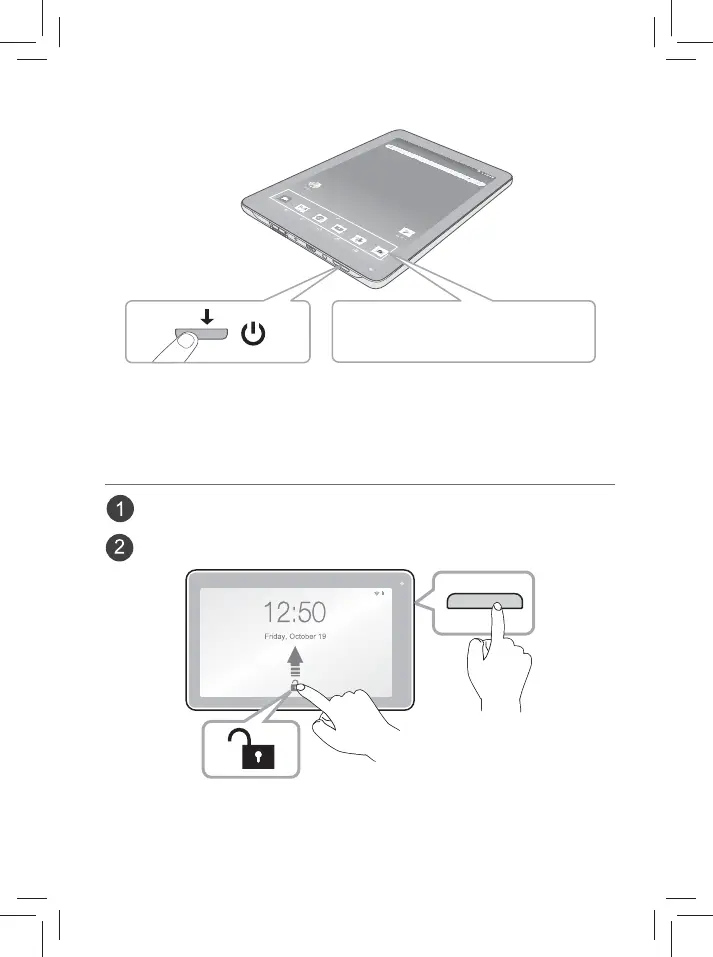
Turning on your tablet screen from standby mode
5. The Jumping Icons will remind you to pull up the ALL APPs menu.
6. Tap the UP arrow or swipe up from the bottom of the screen to enter the
ALL APPs menu.
Jumping Icons and UP arrow
Swipe up to unlock the screen.
Sleep / Standby mode
Press the Power button to turn o the tablet screen.
Press the Power button to turn on the tablet screen.
4. Follow the onscreen instructions to setup the tablet.














 To Next Page