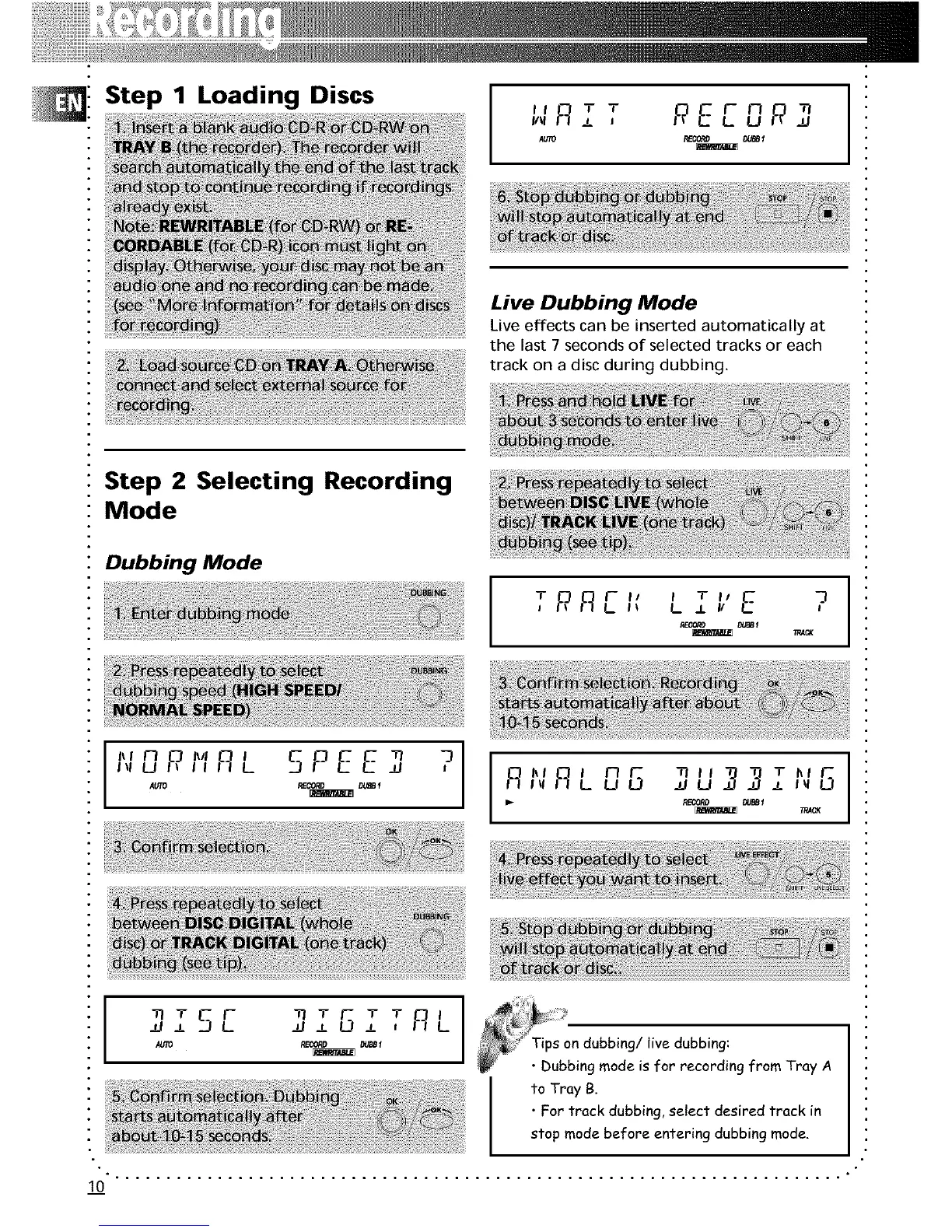
Step 1 Loading Discs
*T REEDR]I I F_I _.1i1\1
Live Dubbing Mode
Live effects can be inserted automatically at
the last 7 seconds of selected tracks or each
track on a disc during dubbing.
Step 2 Selecting Recording
Mode
Dubbing Mode
_I,'E ?T RflEIf L.
"' fiL 5PE E,,,El,P,,,"" _ ?
AUTO REC0RO DUBB1
T I_1r_"' r_L,,, 8S _U _ ,3_,,,,
i_- RECORD _BBt
;_ACK
*TRL
N ±
!Tips on dubbing/live dubbing:
• Dubbing mode is for recording from Tray A
to Tray B.
• For track dubbing, select desired track in
stop mode before entering dubbing mode.
10" " ......................................................................


 To Next Page