Need help?
Do you have a question about the RCA D770 - D 770 Universal Remote Control and is the answer not in the manual?
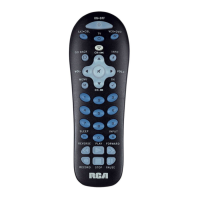
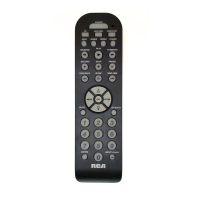
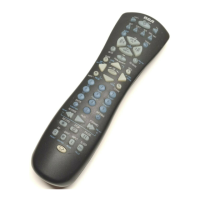
Keys like TV, VCR, DVD, SAT, AUX1, AUX2 put the remote into a specific mode to control a component.
Keys for navigating menus (Arrows, CH+/-, OK) and basic functions (CLEAR, INFO, GUIDE).
Keys like AUX1/AUX2 for custom programming, FETCH for menus or actions, GO BACK for channel history.
LED indicator shows status, MUTE and VOL+/- control TV audio.
ON-OFF controls component power, WHO-INPUT cycles through video sources or user profiles.
Transport keys control media playback, SKIP is specific to TVs/VCRs.
Verifies if the remote operates a component by testing its mode key and power/channel commands.
Introduces two methods for programming: Automatic Code Search and Direct Entry.
Step-by-step guides for programming TV, VCR, and DVD players using direct code entry.
Instructions to program AUX1 and AUX2 keys for controlling additional components like TV, VCR, DVD.
Method to program the remote by automatically scanning through component codes.
Explains how to use specific component keys (TV, VCR, DVD) to select operational modes.
Details on how to change the RF remote control code for satellite receivers.
Instructions on using the MENU key to access and navigate component settings screens.
Addresses common programming failures like incorrect angle, IR sensor issues, or invalid codes.
Diagnoses issues like the remote not operating, indicator light not working, or improper commands.
Troubleshoots VCR recording failures and issues with component menu display on TV.
Provides support information via website and details the product's limited lifetime warranty.
 General
| Brand | RCA |
|---|---|
| Model | D770 - D 770 Universal Remote Control |
| Category | Universal Remote |
| Language | English |

 To Next Page