Menu System
29
Graphics throughout this User’s Guide are for representation only.
3. Since the TV Image is the first submenu, it’s already highlighted. Press the
OK button (the TV Image options appear).
4. Use the or buttons to highlight your choice (the options are
explained below), and press OK to select.
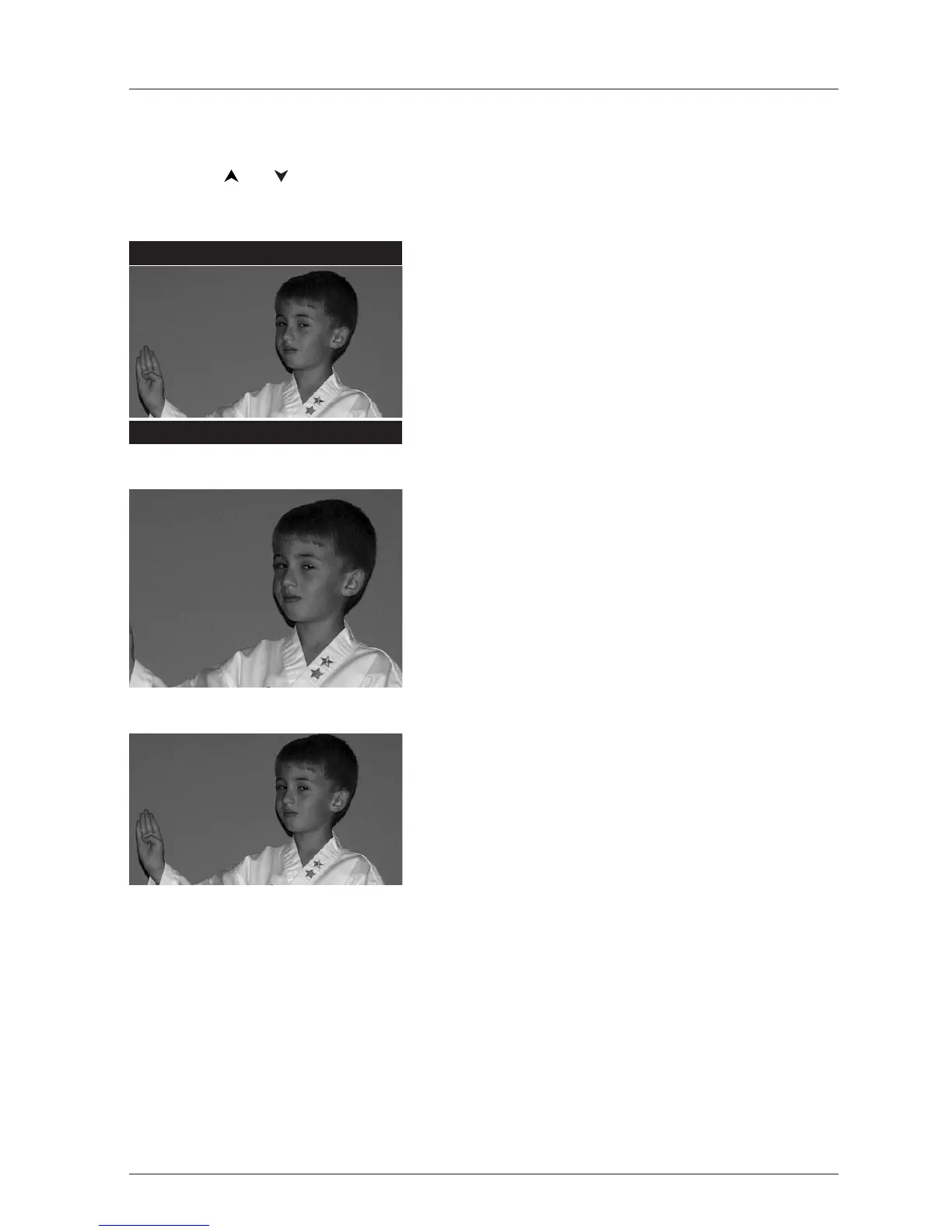
4 x 3 Letterbox – Choose this setting if you want to
see movies in their original aspect ratio (height-to-width
ratio).You’ll see the entire frame of the movie, but it will
take up a smaller portion of the screen vertically.The
movie might appear with black bars at the top and
bottom of the screen.
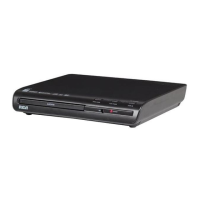
4 x 3 Standard – Choose this setting if you want the
movie to fill the entire screen of your TV.This might
mean that parts of the picture (the left and right edges)
won’t be seen.
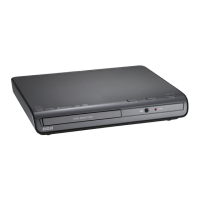
16 x 9 Widescreen – Choose this setting if your DVD
Player is connected to a wide-screen TV. If you choose
this setting and you don’t have a widescreen TV, the
images on the screen might appear distorted due to
vertical compression. If you play a disc recorded in 4 x 3
format on a widescreen TV, the left and right side of the
screen will appear black.



 To Next Page