You can combine your favorite titles/
chapters and play them in the order you
determine.
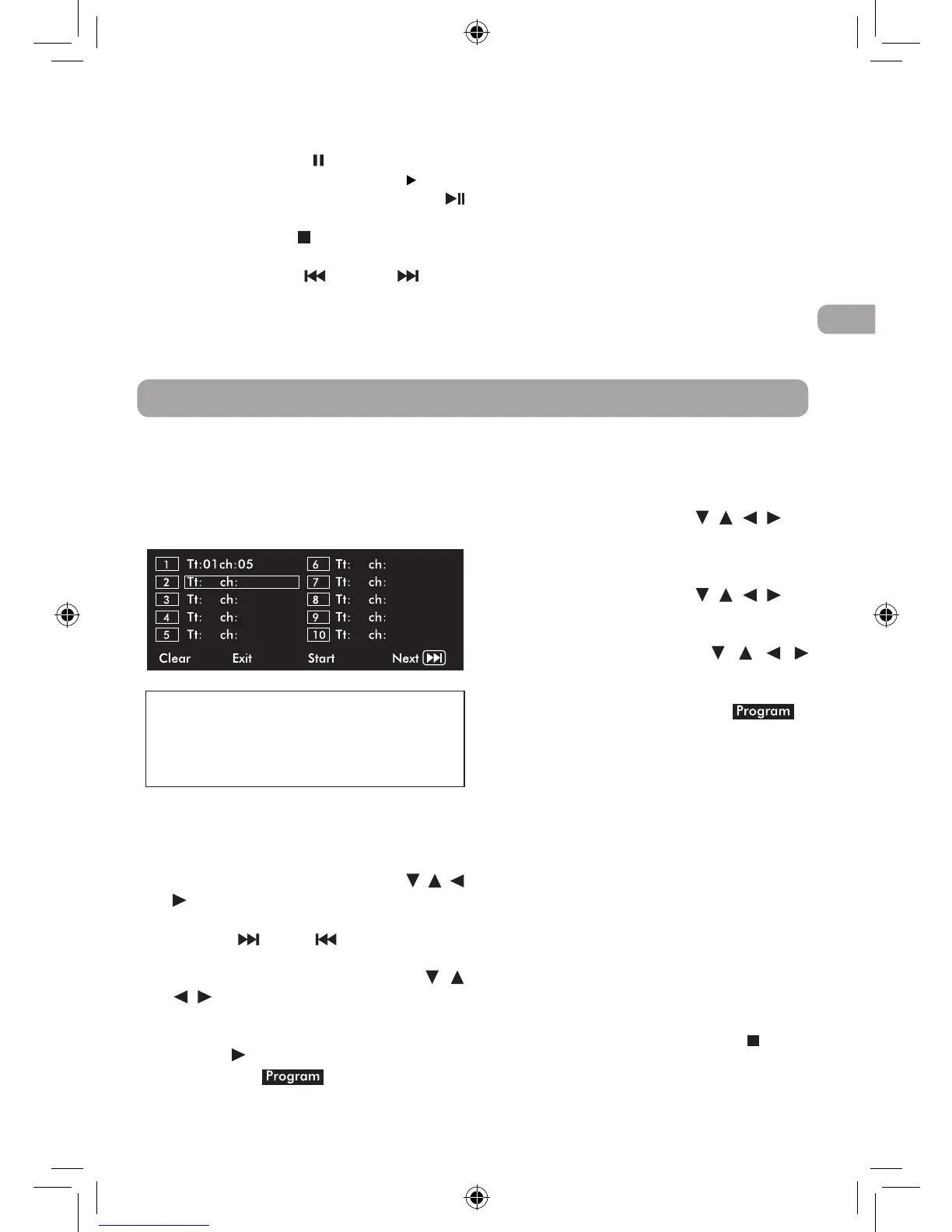
1. Press the MEMORY button while a
DVD is playing. The following display
appears.
2. Input the title (2 digits) and chapter (2
digits) by pressing the number buttons.
(For example: 01 02, 02 05, 02 11.) It will
move to the next item automatically.
•YoucanusetheCursorbuttons( , ,
, ) to move the highlighted bar to any
item, and re-enter the title and chapter.
(Press the NEXT/ PREV to move to
thenext/previoussetuppage.)
•You can use the Cursor buttons ( ,
, , ) to move the highlighted bar to
“Clear”,“Exit”,“Start”or“Next/Prev”,
and press the ENTER button to confirm.
3. Press the PLAY button to start memory
playback. (“ ” appears on the
screen.)
Clear: Delete all the input programs.
Exit: Exit memory menu and return to normal
playback.
Start: Start memory playback.
Next/Prev:Movetothenext/previoussetuppage.
Programmable Memory
4. To resume normal playback from
memory playback
• PresstheMEMORYbuttontodisplaythe
memory menu.
• UsetheCursorbuttons( , , , ) to
move the highlighted bar to “Stop”.
Press the ENTER button to confirm
“Stop”.
• UsetheCursorbuttons( , , , ) to
highlight “Clear”, and then press the
ENTER button to confirm.
• Use the Cursor buttons ( , , ,
) to highlight “Exit”, and then press
the ENTER button to confirm. It will
return to normal playback (“ ”
disappear from the screen.)
Note:
•If the title or chapter number entered
is not permitted by the DVD, it will
disappear. You should re-enter correct
number.
•You should input items one by one
following the 1, 2, 3 ... sequence.
•IftheDVDcontainsonlyonetitle,you
can only arrange order for chapters.
•Some discs may not permit memory
playback operation.
•If you select repeat during memory
playback, the DVD player repeats the
current memory playback.
•The programmed selections will be
cleared when you press the STOP
button two times, open the disc tray or
turn off the DVD player.
Note:
• You can press the PAUSE button to
freeze the picture. Press the PLAY
button on the remote control or
button to resume picture slide show.
• Youcanpressthe STOP button to quit
playback.
• Youcanpressthe PREV or NEXT
button to change the picture.
• YoucanpresstheANGLEbuttononthe
remote control to rotate direction of the
picture by 90°.
• Some discs may not permit this
operation.
DRC69707E RCA 3L MTK.indd 15 8/9/2011 14:34:34


 To Next Page