Connecting YPbPr Component device (Better Video Quality)
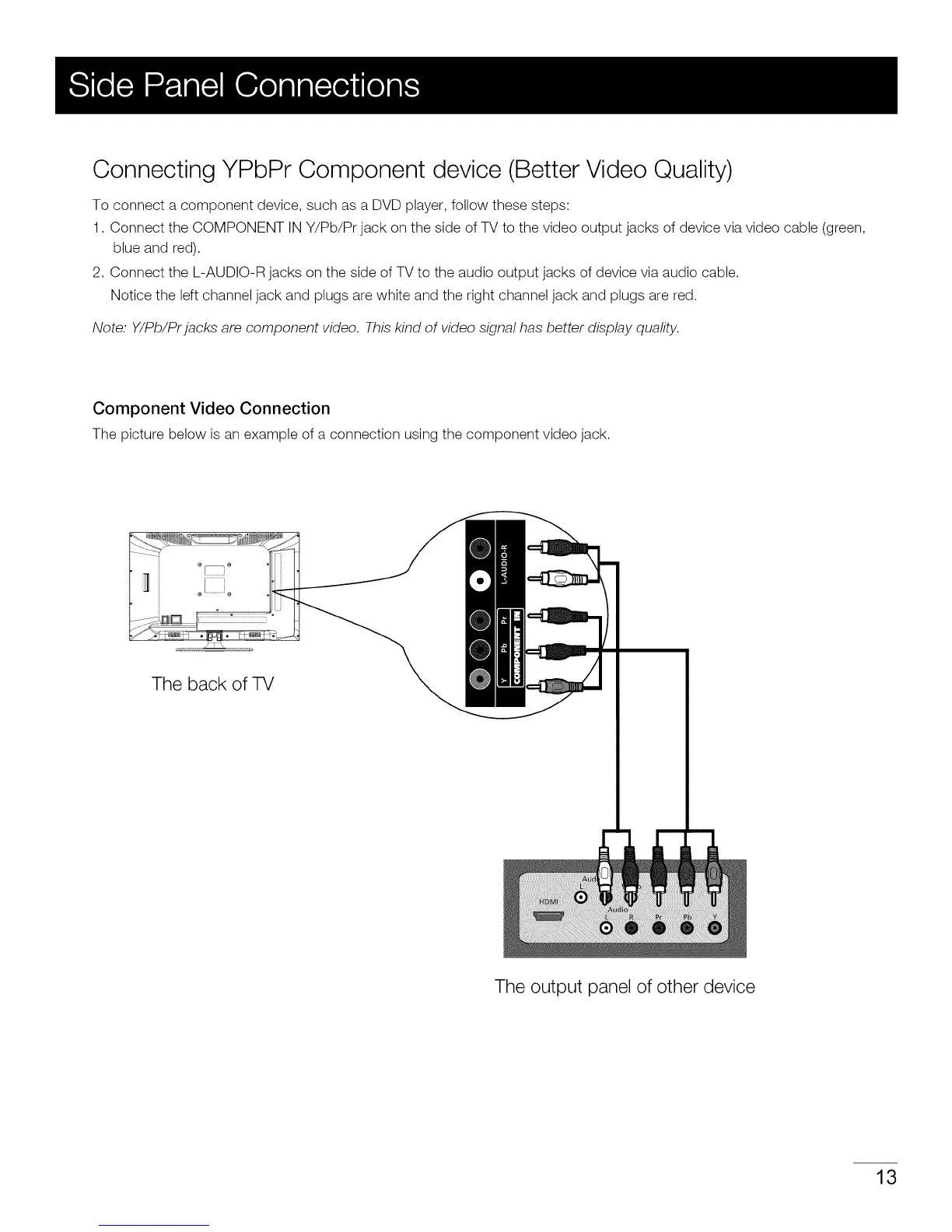
To connect a component device, such as a DVD player, follow these steps:
1. Connect the COMPONENT IN Y/Pb/Pr jack on the side of TV to the video output jacks of device via video cable (green,
blue and red).
2. Connect the L-AUDIO-R jacks on the side of TV to the audio output jacks of device via audio cable.
Notice the left channel jack and plugs are white and the right channel jack and plugs are red.
Note. Y/Pb/Prjacks are component video. This kind of video signal has better display quality.
Component Video Connection
The picture below is an example of a connection using the component video jack.
The back of TV
The output panel of other device
13


 To Next Page