12
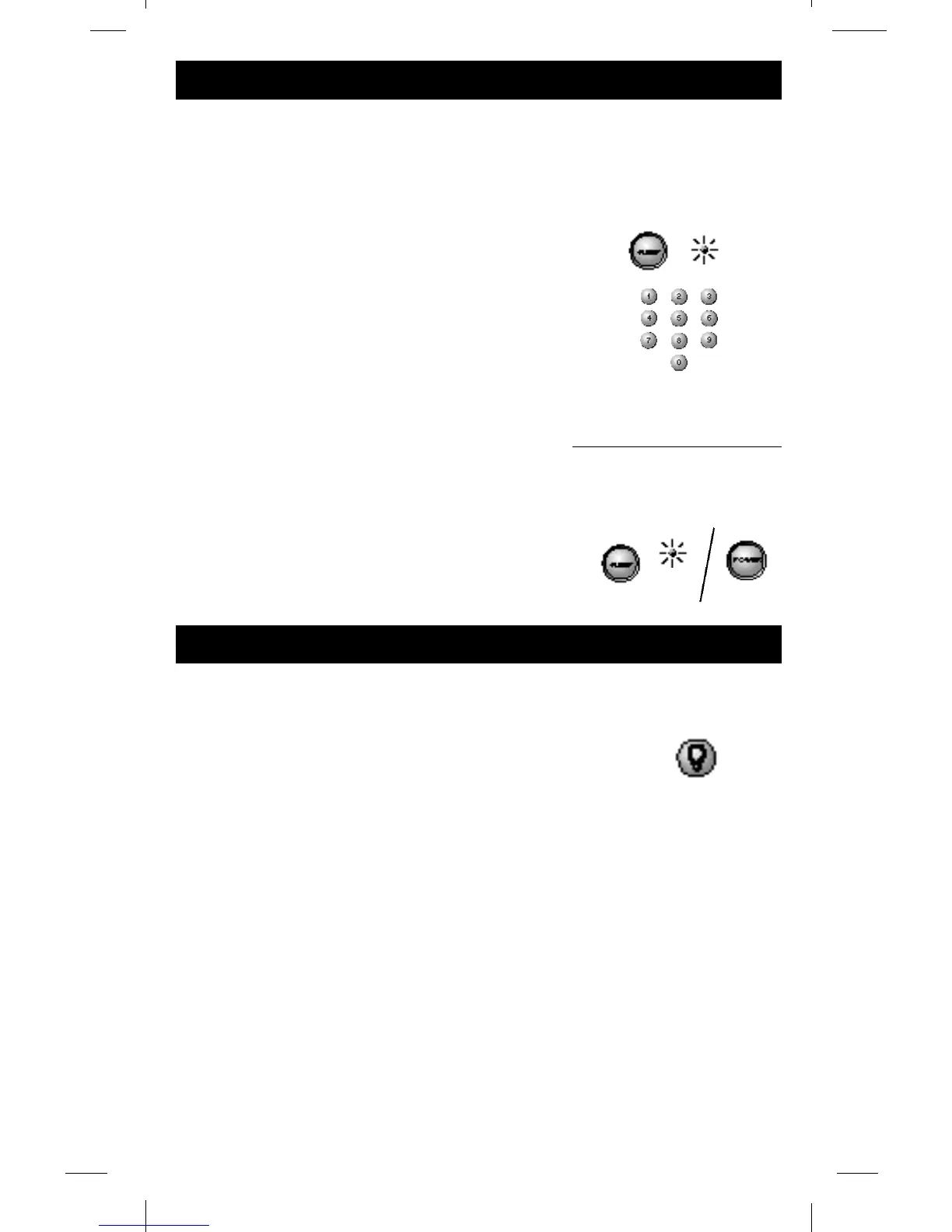
This feature will turn off your TV at the time you choose
from 1 to 99 minutes.
To Program Sleep Feature:
1. Press and hold the SLEEP button.
INDICATOR LIGHT will stay lit.
Release the SLEEP button.
2. Enter time in minutes using the numerical key pad.
(Minutes 1 thru 9: press 0 before the actual number -
maximum: 99 minutes).
3. Leave remote aimed at television. (Sleep Feature will not
work unless remote is left aimed at television.)
To Turn Off The Sleep Timer:
Sleep timer program will be cancelled and the clock
reset to zero by either of the following:
Press and hold SLEEP button until INDICATOR LIGHT
blinks or press POWER button, turning TV OFF.
The Lightbulb button is used to control lighting
the keypad.
Press the LIGHTBULB button and hold until the
remote lights up.
The entire keypad will light and go off after 5 seconds.
Every time a button is pressed the Keypad will light,
and remain lit until the command is completed.
Do not press the lightbulb unless you want to
completely deactivate the keypad light.
To deactivate the Keypad light press the
LIGHTBULB button.
To save battery power, do not activate the NiteGlo
feature when remote is used in well lit rooms.
Niteglo Feature
BLINK


 To Next Page
 Loading...