1
Copyright © 2020 RCA Communications Systems www.RCACommunicationsSystems.com
Communications Systems
INSTRUCTION MANUAL
RDR2xx0 Series Professional
Digital Two-Way Radios
CONTENTS:
Product Inspection..........2
RCA RDR2xx0 Series Overview..........2
Preparing Radio For Initial Use Setting Up the Charger..........3
Battery Information
Charging the Battery..........3
Battery Storage..........3
Attaching the Battery..........3
Attaching / Removing the Antenna..........3
Attaching / Removing the Belt Clip..........4
Connecting Audio Accessories..........4
Turn On/O the Radio..........4
Adjusting the Volume..........4
Programmable Buttons..........4
Push-to-Talk Button..........4
Function Keypad..........5
Accessing the Programmed Functions..........5
Radio Keypad (RDR2600)..........5
Operational Status Indicators..........5
Display Icons..........5
LED Indicator..........6
Audio Tones..........6
Conventional Mode
Making and Receiving Calls
Selecting a Zone..........6
Selecting a Channel, Subscriber ID or Group ID..........6
Receiving and Responding to a Group Call..........6
Receiving and responding to an Individual Call..........6
Receiving and All Call..........6
Making a Radio Call..........6
Making Call with Channel Selector Knob
Making a Group Call..........6
Making a Private Call..........7
Making an All Call..........7
Making Group / Individual Call with One Touch Access Button..........7
Emergency Operation..........7
Initiating & Responding to Emergency Alarm..........7
Exiting Emergency Mode..........7
Advanced Features..........7
Radio Check (RDR2550/RDR2600)..........7
Sending a Radio Check..........7
Remote Monitor..........8
Initiating Remote Monitor..........8
Contacts Setting (RDR2550/RDR2600)..........8
Making a Group Call from Contacts..........8
Making an Individual Call from Contacts..........8
Call Log Feature
Accessing the Call Log..........8
Storing an Alias or ID from the Missed Call List..........8
Deleting a Call from a Call List..........8
Call Alert Operation (RDR2550/RDR2600)..........9
Receiving and Responding to a Call Alert..........9
Making a Call Alert from the Contact List..........9
Text Message Features (RDR2550/RDR2600)..........9
Navigate to Messages..........9
Writing and Sending Text Messages..........9
Sending a Quick Text Message (RDR2550/RDR2600)..........9
Managing Fail-to-Send Text Message..........9
Resend Text Message..........9
Forwarding a Text Message..........10
Editing a Text Message (RDR2600)..........10
Managing Sent Text Message (RDR2550/RDR2600)..........10
Viewing Sent Text Messages (RDR2550/RDR2600)..........10
Deleting All Sent Text Messages from the Sent Items (RDR2550/
RDR2600)..........10
Receiving a Text Message (RDR2550/RDR2600)..........10
Managing Received Text Message (RDR2550/RDR2600)..........10
Viewing a Text Message from the Inbox (RDR2550/RDR2600)..........11
Replying to a Text Message from the Inbox (RDR2550/
RDR2600)..........11
Deleting a Text Message from the Inbox (RDR2550/RDR2600)..........11
Privacy..........11
Dual Tone Multi Frequency (DTMF)..........11
Security (RDR2550/RDR2600)..........11
Radio Activate..........12
Scan
Viewing an Entry in the Scan List (RDR2550/RDR2600)..........12
Scan Instructions and Methods..........12
Starting and Stopping Scan..........12
Responding to a Scan..........12
Deleting a Nuisance Channel..........12
Restoring a Nuisance Channel..........12
Utilities
Keypad Locked and Keypad Unlocked (RDR2600)..........12
Turning Keypad Tones On or O (RDR2550/RDR2600)..........12
Setting the Squelch Level..........13
Setting the Power Level..........13
Turning Voice Operating Transmission (VOX) Feature On/O..........13
Controlling the Display Backlight (RDR2550/RDR2600)..........13
Talkaround..........13
Turning the Radio Tones/Alert On or O (RDR2550/RDR2600)..........13
Turning the LED On or O (RDR2550/RDR2600)..........14
Turning the Introduction Screen On/O (RDR2550/RDR2600)..........14
Accessing General Radio Information (RDR2550/RDR2600)..........14
Checking the Radio ID (RDR2550/RDR2600)..........14
Checking the Firmware Version (RDR2550/RDR2600)..........14
Checking the Codeplug Version (RDR2550/RDR2600)..........14
Care and Cleaning..........14
Troubleshooting..........14
CONTENTS: (continued)
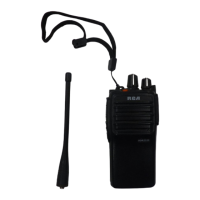
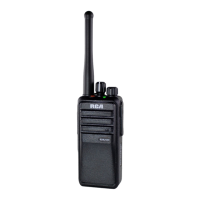
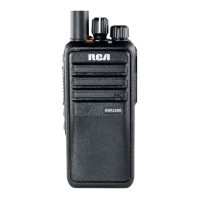
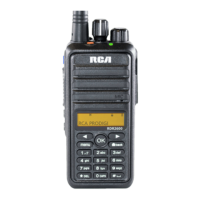
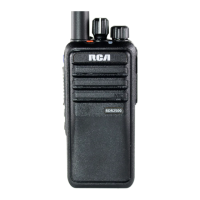
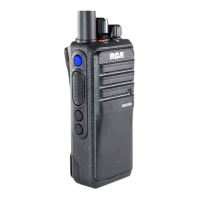
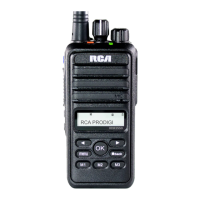
Congratulations and Thank You for selecting
the PRODIGI RDR2xx0 Series portable two-way
radio from RCA Communications Systems
- The most trusted name in radio!
Our newest digital series professional communications products
based on DMR technology establishes a benchmark in premium
digital two-way radio equipment, made to perform flawlessly under the
most demanding commercial conditions. Cutting edge design, high-
end professional grade materials and components, simple operation
and superior assembly quality: RCA Communications Systems has
it all, including our exclusive no-nonsense, three-year “Warranty
Protection Program,” one of the most comprehensive warranties in the
communications industry.
To ensure you achieve maximum performance from your RDR2500
TM
,
RDR2550
TM
, or RDR2600
TM
radio, please be sure to carefully read this
manual.
MODELS COVERED IN THIS MANUAL:
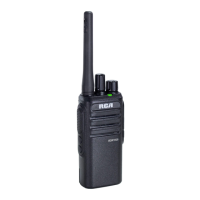
• RDR2500
TM
VHF Two-Way Radio
• RDR2500
TM
UHF Two-Way Radio
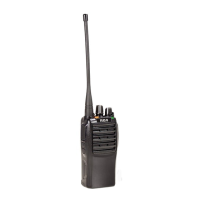
• RDR2550
TM
VHF Two-Way Radio
• RDR2550
TM
UHF Two-Way Radio
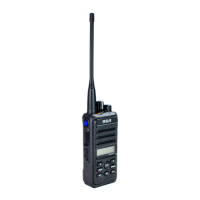
• RDR2600
TM
VHF Two-Way Radio
• RDR2600
TM
UHF Two-Way Radio


 To Next Page
 General