EasyManua.ls Logo

RCA RLDED5078A-E - User Manual

RCA RLDED5078A-E
36 pages
Print Icon
To Next Page IconTo Next Page
Loading...
Model: RLDED5078A-E
RT5030
Question and Answer IconNeed help?

Do you have a question about the RCA RLDED5078A-E and is the answer not in the manual?

Overview

This document is an instruction manual for an RCA LED TV, model RLDED5078A-E (RT5030). It provides comprehensive information on the TV's functions, setup, and maintenance.

Function Description

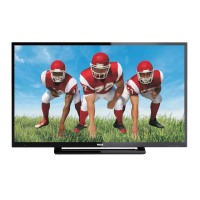
The RCA LED TV is designed for home entertainment, offering various input and display options. It supports both over-the-air and cable/satellite television reception. The TV includes a remote control for easy navigation and adjustment of settings. Key functions include:
  • Television Viewing: Receives and displays TV channels from antenna, cable, or satellite sources.
  • Picture Customization: Allows users to adjust picture settings such as brightness, contrast, color, tint, sharpness, and color mode (Standard, Dynamic, Mild, User, Energy). It also features 3DNR (3D Noise Reduction), DLC (Dynamic Luminance Control), and Over Scan adjustments.
  • Audio Customization: Provides options for sound enhancements, including an equalizer (Standard, Music, Movie, Sports, User), audio language selection (English, Spanish, French), balance control, surround sound effect (for built-in speakers), and digital audio output type (PCM, RAW, Off).
  • Time Management: Features a time menu for setting the local time zone, daylight savings time (DST), time format (12-hour or 24-hour), and a sleep timer (10min, 20min, 30min, 60min, 90min, 120min, 180min, 240min, Off, Personal). It also supports auto-sync for clock adjustment and a wake-up timer.
  • Parental Controls: Includes a LOCK (Parental) menu that allows users to block television content by inputting a password. Features include changing the password, system lock, unrated lock, input block, and region-specific content controls (US, Canada Eng/Fre).
  • Channel Management: The TV(CHANNEL) menu enables users to auto-scan for channels, create a favorite channels list, show/hide channels, and modify channel labels.
  • Connectivity: Offers multiple ports for connecting various external devices, including AV, YPbPr, HDMI, VGA, headphones, and digital audio out.
  • Energy Efficiency: Qualifies for ENERGY STAR® by meeting U.S. Federal energy efficiency guidelines, with a "Home Mode (Energy Saving)" setting.

Important Technical Specifications

  • Panel Type: LED Panel
  • Diagonal Size: 50 inches
  • Screen Format: 16:9
  • Resolution: 1920 x 1080
  • Brightness: 260 nits
  • Contrast: 5000:1
  • View Angle: 176(H)/176(V)
  • Response Time: 6.5ms
  • Maximum Color: 16.7M colors
  • Refresh Rate: 60Hz
  • Color System: ATSC/NTSC
  • Sound System: M, MTS
  • Audio System: L/R Speaker: 10W+10W
  • Sound Output: 75 ohm external terminal
  • RF Input: 75 ohm external terminal
  • HDMI Input (Video): 480i, 480p, 576i, 576p, 720p, 1080i, 1080p.
  • HDMI Input (Audio): Two channel linear PCM32, 44.1 and 48kHz, 16, 20 and 24bits.
  • PC-RGB Input (D-sub 15pin): G: 0.7Vp-p, 75 ohms; B: 0.7Vp-p, 75 ohms; R: 0.7Vp-p, 75 ohms.
  • Composite Video Input: 1.0 Vp-p, 75 ohms RCA.
  • Component / YPbPr Input (RCA): Y: 1.0 Vp-p, 75ohms, 0.3V negative sync; Pb: 0.7Vp-p, 75 ohms; Pr: 0.7Vp-p, 75 ohms.
  • Sound Input: Component AUDIO: For Component Audioinput; AV AUDIO: For CVBS Audioinput; PC AUDIO: For PC RGB Audio input. 500mV rms, Impedance: 20k ohms.
  • Power Requirement: 100-240V~50/60Hz
  • Rated Power Consumption: 135W
  • Safety Class: IEC safety class II product.

Usage Features

  • Remote Control: The primary interface for controlling the TV, featuring dedicated buttons for standby, mute, channel selection, volume, picture mode, sound mode, MTS, sleep timer, source selection, info, EPG (Electronic Programme Guide), channel list, auto configuration (PC mode), aspect ratio, navigation (UP/DOWN/LEFT/RIGHT), ENTER, Exit, MENU, CC (Closed Caption), and FAV (Favorite channels).
  • Front Panel Controls: Includes buttons for VOL-, VOL+, CH-, CH+, MENU, SOURCE, and STANDBY for basic operations directly on the TV.
  • Initial Setup Wizard: Guides users through the initial setup process, including language selection, antenna type (Air/Cable), auto-scan for channels, time zone, and DST settings.
  • Multiple Input Sources: Supports TV, AV, Component, HDMI (1, 2, 3), and PC inputs, allowing connection of various devices like VCRs, camcorders, DVD players, satellite receivers, and computers.
  • Wall Mount Installation: VESA-compliant (15.7" x 15.7" / 400mm x 400mm) for wall mounting, requiring removal of the base stand.
  • Headphone Jack: Allows private listening, with automatic muting of built-in speakers when headphones are connected.
  • Digital Audio Output: Coaxial SPDIF output for connecting to a home theater audio system, supporting Dolby Digital for optimal surround sound.
  • ENERGY STAR® Qualification: Promotes energy efficiency with a "Home Mode (Energy Saving)" setting.

Maintenance Features

  • Battery Replacement: Instructions for installing and replacing AAA batteries in the remote control, with warnings against mixing old/new or different battery types, and disposing of batteries in fire.
  • Cleaning: Recommends cleaning the TV with a dry cloth.
  • Ventilation: Emphasizes not blocking ventilation openings and installing the TV in a well-ventilated environment to prevent overheating.
  • Power Cord Protection: Advises protecting the power cord from being walked on, pinched, or damaged, and ensuring it's fully inserted into the socket.
  • Troubleshooting Guide: Provides a comprehensive list of common symptoms (e.g., bad picture, no sound, black and white picture, colored patches, panel hot, unusual dots, stripes on screen) and their causes/remedies.
  • Service Information: States that there are no user-serviceable parts inside and refers servicing to qualified personnel in case of damage or malfunction.
  • Power Management: Suggests setting the computer to power management mode to prolong the TV's service life when connected as a PC monitor.
  • Firmware Updates: Specifications are subject to update without prior notice, implying potential for future software/firmware updates.

RCA RLDED5078A-E Specifications

General IconGeneral
BrandRCA
ModelRLDED5078A-E
CategoryLED TV
LanguageEnglish

Related product manuals