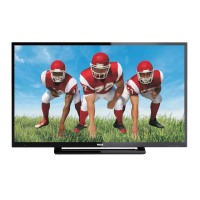
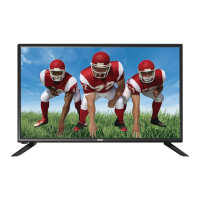
This document is the Owner's Manual for an RCA 40" LED TV, model RLDE D4016A-D. It provides comprehensive instructions for setup, operation, and troubleshooting, ensuring users can maximize their viewing experience while adhering to safety guidelines.
Function Description
The RCA 40" LED TV is a high-definition television designed for home entertainment. Its primary function is to display video content from various sources, including broadcast television, external media players, and computers. It integrates an ATSC TV tuner, enabling reception of HDTV broadcast signals, and an NTSC analog system for standard definition broadcasts. The TV features a 16:9 wide-screen aspect ratio, ideal for a cinematic home theater experience. It is equipped with a built-in stereo speaker system for audio output and comes with a full-function remote control for convenient operation. The TV also supports energy-efficient practices, with its default "standard mode" passing Energy Star tests, though other modes might increase power consumption.
Usage Features
The TV offers a variety of features to enhance usability and viewing pleasure:
- Picture Quality: The LED display provides high brightness for vivid and brilliant pictures, along with a high dynamic contrast ratio for deeper blacks and brighter whites.
- Connectivity: The TV boasts multiple input options for connecting various devices:
- HDMI Inputs (x3): For true digital connections with devices like Blu-ray players, gaming consoles, and set-top boxes. One HDMI port also supports DVI signals, with audio routed through the PC Audio Output Jack.
- VGA Input (x1): Allows connection to a PC, supporting various resolutions from 640x480 to 1920x1080 at 60Hz.
- YCb(Pb)Cr(Pr) Input (x1): For component video connections, supporting video formats like 480i, 576i, 480p, 576p, 720p, and 1080i. This input shares a channel with AV.
- Composite Video Input (x1): For older video equipment like VCRs and camcorders.
- Audio Inputs (x2): For analog audio connections.
- USB Input (x1): Primarily for playing picture files (JPG) from a USB storage device (FAT32 format, max 50GB) and for software updates.
- RF Input (x1): For connecting an antenna for broadcast TV reception.
- Coaxial Output (x1): For digital audio output.
- Headphone Output (x1): For private listening.
- Remote Control Functions: The included remote control provides comprehensive control over the TV's functions:
- Power: Turns the TV on/off.
- Number Keys: For direct channel input.
- Menu Navigation: Cursor keys, ENTER, and EXIT buttons for navigating on-screen menus.
- Volume Control (VOL+/-): Adjusts sound level.
- Channel Control (CH+/CH-): Changes channels.
- Source Selection: Directly switches to HDMI, AV, TV, YPbPr, or VGA modes.
- Picture Modes (P.M): Selects predefined picture modes (Vivid, Standard, Sports, Movie, Custom).
- Mute: Disables/enables sound.
- Recall: Switches to the previously viewed channel.
- TV Display: Shows/hides program information.
- Sound Modes (S.M): Selects predefined audio modes (Standard, News, Music, Theater, Sports, Custom).
- Aspect Ratio (ASPECT): Changes the picture aspect ratio (Normal, Wide, Auto).
- Channel List (CH LIST): Displays the channel list.
- EPG (EPG): Displays the channel guide.
- Favorite (FAV): Accesses favorite channels.
- DTV Strength: Displays digital TV signal strength.
- Closed Captions (CC): Enables/disables closed captions.
- MTS: Changes audio language.
- On-Screen Menus: The TV features intuitive on-screen menus for configuring various settings:
- Picture Menu: Adjusts contrast, brightness, color, sharpness, color temperature (Normal, Warm, Cool), and noise reduction. It also includes VGA settings for horizontal/vertical position, clock, and phase adjustments when in PC mode.
- Audio Menu: Adjusts sound mode, MTS, audio language, digital output, surround sound, and auto volume.
- Timer Menu: Sets sleep timer, time zone, DST, time format, and clock.
- Option Menu: Configures menu language, closed captions, restores default settings, runs setup wizard, and performs software updates.
- Lock Menu: Allows changing the password and adjusting V-Chip settings for parental control, including movie ratings (MPAA) and Canadian English/French ratings.
- Channel Menu: Manages digital and analog TV channels, including auto scan, favorite channel selection, and showing/hiding channels.
- USB Functionality: The USB port allows users to play picture files (JPG) directly from a USB storage device. It also serves as a port for software updates, ensuring the TV's firmware can be kept current.
Maintenance Features
The manual emphasizes several aspects related to the maintenance and longevity of the TV:
- Safety Instructions: A crucial section details important safety instructions, including warnings against exposure to rain or moisture, excessive heat, and electric shock. It advises against opening the cabinet and recommends referring all servicing to qualified personnel.
- Ventilation: Proper ventilation is essential to prevent the failure of electrical components. The manual instructs users not to block ventilation openings and to maintain minimum distances if the TV is built into an enclosure.
- Cleaning: The TV should be cleaned only with a dry cloth.
- Power Cord Care: Users are advised to protect the power cord from being walked on or pinched and to unplug the TV during lightning storms or when unused for long periods.
- Battery Disposal: Attention is drawn to the environmental aspects of battery disposal, encouraging responsible recycling.
- Wall Mounting: Instructions are provided for wall mounting (kit purchased separately), including screw specifications and safety precautions, such as not over-tightening screws and using two people for installation.
- Troubleshooting Guide: A dedicated section helps users diagnose and resolve common issues related to picture (snow, ghost, interference, no picture, no color, breaking up) and audio (noise, mute, normal audio). It provides inspection checks for antenna connections, volume settings, power, and color control.
- Pixel Information: The manual notes that the LCD TV panel is built with high precision, but occasionally a few non-active pixels (red, green, blue, black, or white fixed points) may appear, which does not affect product performance.



 To Next Page
 General