AUTOMATIC PRESET FEATU RE
This is a great feature that makes storing your presets a snap,
it's just like your auto station programming on your VCR or TV.
1. Press the TUNER/BAND button to place your unit in the tuner
mode.
.
Press and hold the TUNER/BAND for five seconds. The system
will scroll through the FM band and store all the stations the
system received. Note that this feature does not scan the AM
band.
STORING RADIO STATIONS IN MEMORY
Preset as many as 32 stations for easy access.
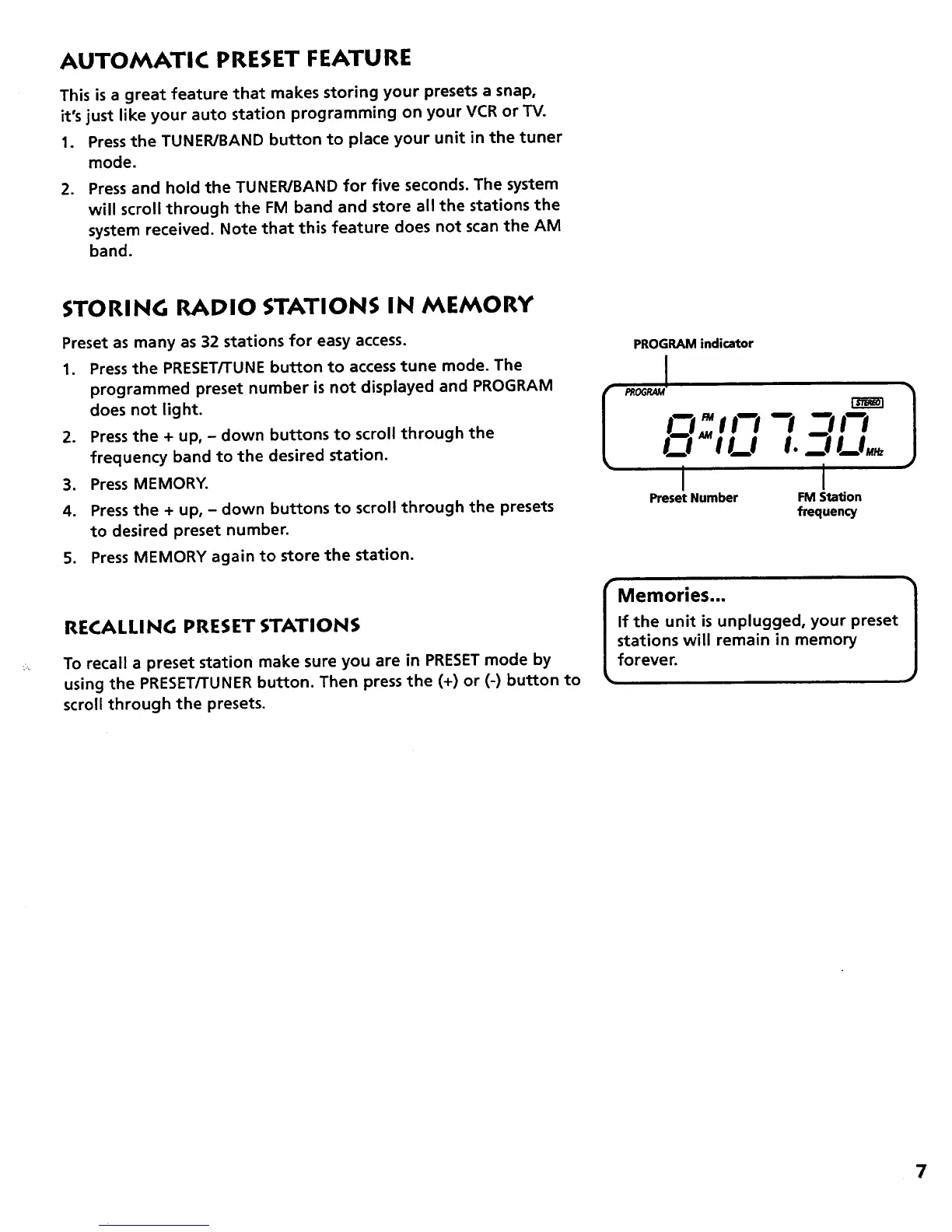
1. Press the PRESET/TUNE button to access tune mode. The
programmed preset number is not displayed and PROGRAM
does not light.
2. Pressthe + up, - down buttons to scroll through the
frequency band to the desired station.
3. Press MEMORY.
4. Press the + up, - down buttons to scroll through the presets
to desired preset number.
5. Press MEMORY again to store the station.
RECALLING PRESET STATIONS
To recall a preset station make sure you are in PRESET mode by
using the PRESET/TUNER button. Then press the (+) or (-) button to
scroll through the presets.
PROGRAM indicator
I PROGRAM _
I--I !1_1 21!_I,.
I I
Preset Number FM Station
frequency
IMemories... 1
If the unit is unplugged, your preset
stations will remain in memory
forever.
7



 To Next Page