13
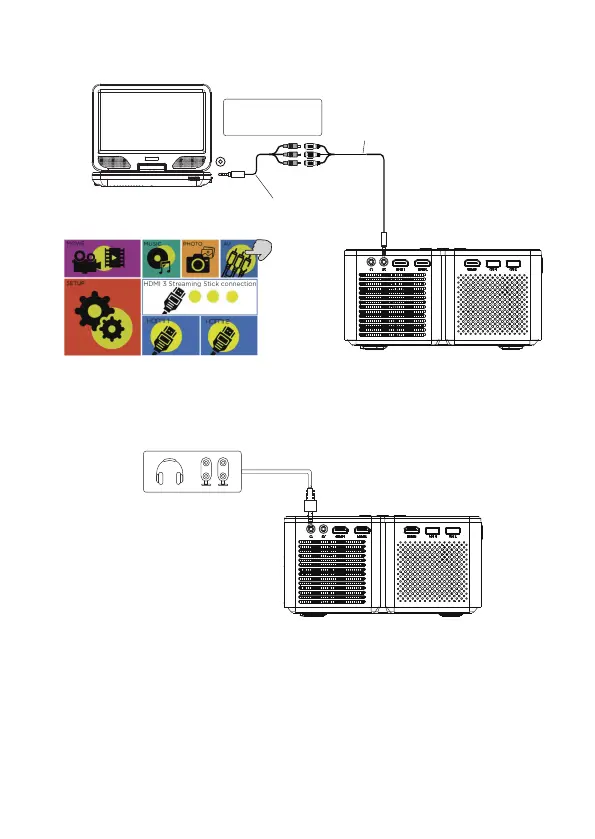
AV video device connection
Connect the projector AV interface with the AV cable, as is shown in the pictures.
Video Cable: YELLOW
Audio Left Channel: WHITE
Audio Right Channel: RED
Portable DVD Player/Video Player
AV OUT
Male AV Cable(not include)
Female AV Cable(not include)
Projector
Audio devices connection
The projector can connect to a headphone and to a wired audio system using a
3.5mm jack(not include)
Projector


 To Next Page