4
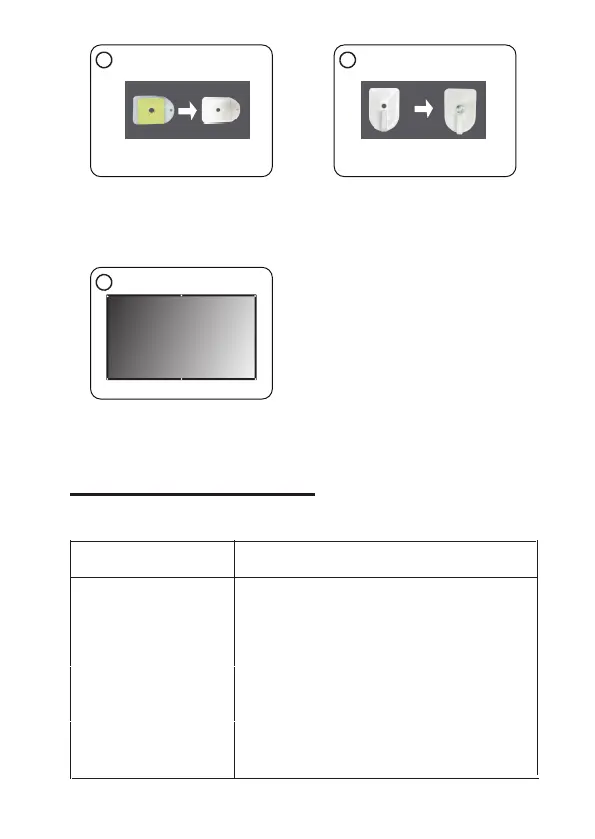
3. Second, remove backing paper
19
on the hook.
4. Then stick the hooks on every
position marded on the wall and
screw it up.
5. Finally, put the screen flat by
hanging the grommets on the
relevant hooks.
3
5
No Image is Projected or
a "No Signal" message is
displayed
1.Power light is on. If it is not on, check the
projector is plugged into the power source supply,
that the socket is switched on, and then press the
power button on the projector.
2.Check the lens cover has been removed.
3.Check the cables are securely attached and
installed as per the User Manual.
4.The image source may not be set correctly.
Press the Home button on the Control Panel or
the Remote, to select the correct setting.
5.Check in the Menu section under Video input
signal to make sure that has been set correctly.
Before resorting the maintenance service, please kindly check by yourself with
the following chart.
Symptom
Cause (and Remedy)
TROUBLE SHOOTING


 To Next Page