Need help?
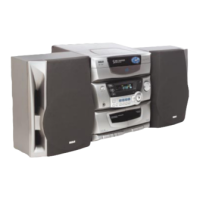
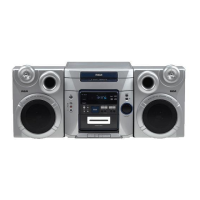
Do you have a question about the RCA RS-1249 and is the answer not in the manual?
General safety warnings and guidelines for operating the audio system.
Specific safety advice related to electrical connections and product usage.
Guidance on obtaining servicing and maintenance for the product.
Space to record important system details like model and serial numbers.
Instructions on how to unpack the system and identify all included accessories.
Advice on handling potential moisture issues within the system.
Recommendations for optimal placement of the audio system for performance.
Step-by-step guide for connecting speakers to the main unit.
Instructions for connecting and positioning AM and FM antennas.
Details on how to properly connect the power cord to an outlet.
Description of the main display screen and its functions.
Buttons for operating the CD player function.
The tray used for loading and holding CDs.
Button for rotating the CD tray to select different discs.
Button to open and close the CD compartment tray.
Indicator light for FM stereo reception.
Button to turn the system on and off.
Button to select sound effect equalizer modes.
Button to switch between different system modes (Tuner, CD, Tape).
Port for connecting headphones.
Button for storing radio presets or activating demo mode.
Buttons for manual tuning of radio stations.
Button for accessing preset radio stations.
Button to enhance bass sound.
Description of the dual cassette tape deck system.
Buttons for operating the cassette tape decks.
Controls for adjusting the system's sound output level.
Button to enable FM stereo reception.
Indicators showing selected sound effect modes.
Button to switch between AM and FM radio bands.
Basic steps for tuning into radio stations.
Instructions on how to store favorite radio frequencies.
How to access and play stored radio stations.
Step-by-step guide to loading CDs into the player.
How to play, pause, skip tracks, and stop CD playback.
Creating a custom playback sequence for CD tracks.
Managing and modifying programmed track sequences.
How to swap CDs without interrupting playback.
Options for playing tracks in a random order.
Shuffling tracks from a single loaded disc.
Shuffling tracks from all loaded discs.
Playing all tracks from all discs once in shuffled order.
Shuffling tracks from a single disc.
Selecting modes for repeating tracks, discs, or programs.
Repeating a single selected track continuously.
Repeating a single selected disc continuously.
Repeating all loaded discs continuously.
Repeating a stored programmed track sequence.
How to disable the repeat playback feature.
Instructions for inserting cassette tapes into the decks.
How to play, rewind, fast forward, and stop cassette tapes.
How the system automatically stops tape playback.
Playing tapes sequentially from both decks.
Overview of recording sources available for tapes.
Steps to record audio from radio broadcasts onto tape.
Instructions for recording audio from CDs to cassette tapes.
How to copy audio from one cassette tape to another.
Guide to inserting batteries correctly into the remote.
Basic functions controllable via the remote.
Using the remote for EQ and volume settings.
Using the remote to control radio tuning and presets.
Using the remote for CD playback, skipping, and pausing.
Using the remote to manage repeat playback modes.
Using the remote to activate shuffle playback.
Notes on tape functions not controllable by remote.
Explanation of various messages shown on the CD mode display.
Instructions for cleaning the outer surfaces of the unit.
Guidelines for handling and cleaning CDs properly.
Proper techniques for holding and touching CDs.
Methods for cleaning dust and dirt from CDs.
Recommendations for cleaning the CD player's optical lens.
Information on suitable cassette tape types for the system.
Tips for storing and protecting cassette tapes.
Guidelines for proper storage of cassette tapes.
Instructions for cleaning the cassette deck's playback heads.
Steps to resolve power-on issues for the audio system.
Troubleshooting steps for audio output problems.
Diagnosing and fixing issues with sound on a single channel.
Tips for improving AM and FM radio signal quality.
Resolving problems when CDs do not play correctly.
Solutions for issues causing CD tracks to skip.
Troubleshooting causes of poor audio quality in recordings.
Steps to resolve issues with the remote control not working.
What defects are covered under the product warranty.
Duration of the product's warranty coverage.
Steps to follow for making a warranty claim.
Conditions and damages not covered by the warranty.
Information on registering the product for warranty purposes.
How state laws affect warranty rights.
Warranty applicability for products purchased outside the USA.
Details of the warranty coverage for Canadian purchasers.
Conditions not covered by the Canadian warranty.
Steps for submitting a warranty claim in Canada.
 General
| Type | Stereo System |
|---|---|
| Brand | RCA |
| Model | RS-1249 |
| Tuner | AM/FM |
| Record Player | Yes |
| Tape Player | Yes |


 To Next Page