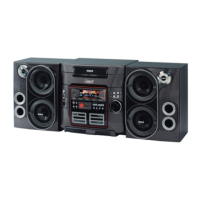
Need help?
Do you have a question about the RCA RS2657 and is the answer not in the manual?
Describes safety precautions for AC power plug and general electrical safety.
Specific safety instruction for electrical connection: match wide blade to wide slot.
Details power supply voltage, frequency, and power consumption.
Contact details for the product's importer.
Space for users to record model, serial, and purchase details for service.
Guidance on obtaining professional service for the product.
General safety advice for operating the unit, including handling liquids and ventilation.
Guidelines for battery removal, leakage, and disposal.
Safety advice for using headphones, particularly regarding volume levels.
Legal notice regarding copyright laws and product usage.
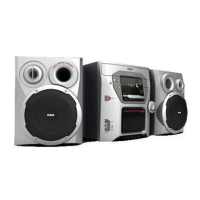
Lists all items included in the product package.
Diagram illustrating the connection ports on the back of the main unit.
Instructions for connecting the main speakers to the unit.
Instructions for connecting the subwoofer to the main unit.
Recommendations for proper placement to ensure ventilation and performance.
Guidance on positioning FM and AM antennas for optimal reception.
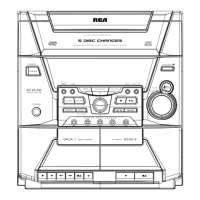
Explains the function of each button on the main unit.
Description of the PHONE and AUX IN jacks for audio connections.
Step-by-step guide for inserting batteries into the remote control.
Explains the function of each button on the remote control.
Details on PROG, INTRO, CLOCK, ADD, TIMER, DEL, REPEAT, and SLEEP functions.
Explains the functions of various navigation buttons for menu and track selection.
Explains the various icons and indicators shown on the unit's display.
Step-by-step instructions for setting the system's clock.
Guide to setting and activating the timer function.
Instructions for setting and viewing the sleep timer.
How to adjust volume levels and activate Bass Boost.
How to mute audio and select preset equalizer curves.
Steps to create a custom sound equalization curve.
Important information regarding CD, CD-R/RW, MP3, and WMA disc compatibility.
Notes on handling and playback of CD-R/RW discs.
Notes on file formats, quality, and limitations for MP3/WMA discs.
Steps to play audio CDs, including loading and playback.
How to play discs while loading or changing others.
Methods for selecting specific discs from the unit.
Steps to connect and play music from a USB device.
How to view the used and free memory on a connected USB device.
How to switch between FM and AM radio bands.
Procedures for manually tuning into radio stations.
Instructions for accessing and using preset radio stations.
How to perform auto preset programming for FM stations.
Steps to manually store radio stations as presets.
How to toggle between stereo and mono reception for FM signals.
Step-by-step guide to record audio from CDs to a USB device.
Example of how to record only selected tracks from a CD.
Instructions for deleting individual files from a connected USB device.
Procedure for deleting all files from a connected USB device.
How to play the first 10 seconds of each track for preview.
Explains options for repeating tracks, discs, or all discs.
How to enable and disable random playback of tracks.
How to display track information like title, artist, and album.
Guide to creating a custom playback sequence of tracks.
How to start playback of a pre-programmed list of tracks.
How to view the contents of a saved program list.
How to delete individual tracks or the entire program list.
Steps to rename tracks stored on a USB device.
Instructions for navigating through audio CDs and MP3/WMA files.
Explanation of the playback order for folders and songs on discs.
Solutions for when the system does not turn on or produce sound.
Solutions for poor radio reception and CD playback failures.
Solutions for unresponsive buttons or remote control malfunctions.
Guidance on cleaning the unit's exterior and properly handling CDs.
Instructions for cleaning CDs and the CD player lens for optimal sound.
Details on power, dimensions, and audio specifications.
Details on what is covered and for how long after purchase.
Procedures for getting the product serviced under warranty.
List of items not covered by warranty and legal disclaimers.
Instructions for registering the product with the manufacturer.
Information on how state laws affect warranty and conditions for units purchased outside the USA.
Details on what is covered and for how long after purchase in Canada.
Procedures for getting the product serviced under warranty in Canada.
List of items not covered by warranty and legal disclaimers for Canada.
Instructions for registering the product with the manufacturer in Canada.
Information on how provincial laws affect warranty and conditions for units purchased outside Canada.
 General
| Brand | RCA |
|---|---|
| Model | RS2657 |
| Category | Stereo System |
| Bluetooth | Yes |
| CD Player | Yes |
| FM Radio | Yes |
| USB Port | Yes |
| Tuner Bands | FM |
| Disc Capacity | 1 |
| Radio | FM |
| Remote Control | Yes |
| Type | Home Audio |
| Audio Input | 3.5mm Aux |
| Inputs | USB, Aux |

 To Next Page