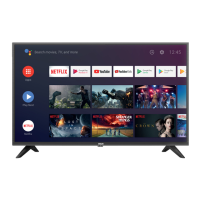
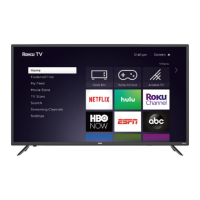
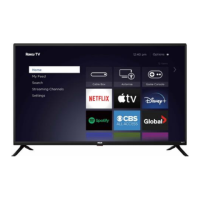
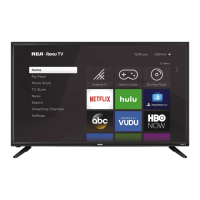
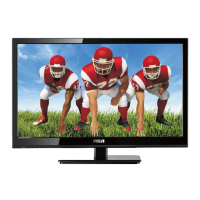
The RCA 65" Android TV is a smart television designed for home entertainment, offering a blend of traditional TV channels and streaming services. It is manufactured and sold by Curtis International Ltd. under license from Technicolor (S.A.).
Function Description:
This 65-inch Android TV serves as a central hub for media consumption, allowing users to watch live television, stream content from various applications like Netflix, YouTube, Google Play Movies & TV, and VUDU, and play games from Google Play Games. It integrates Google Assistant for voice commands and search, enhancing user interaction. The TV supports Bluetooth connectivity for remote control operation and USB media playback for local files (TXT, MP3, JPG, JPEG, BMP, PNG, MP4, 3GPP, AVI, MKV, ASF). It also features multiple input sources for connecting external devices such as cable/satellite boxes, gaming consoles (like Wii™), and digital audio receivers.
Important Technical Specifications:
- Panel Type: LED Panel
- Diagonal Size: 65 inches
- Screen Format: 16:9
- Resolution: 3840x2160 (4K UHD)
- Brightness: 250 cd/m²
- Contrast: 3000:1
- View Angle: 178(H)/178(V)
- Response Time: 8 ms
- Maximum Color: 16.7M colors
- Color System: NTSC/ATSC
- Sound System: M/N/MTS
- Sound Output: L/R Speaker: 8W+8W
- RF Input: 75 ohm external terminal
- HDMI/HDCP1.4/2.2 Input: Supports 480i, 480p, 720p, 1080i, 1080p, 2160p.
- Composite Video Input: 1.0 Vp-p, 75ohms
- Component/Y Pb Pr Input: Y: 1.0 Vp-p, 75ohms, 0.3V negative sync; Pb: 0.7Vp-p, 75ohms; Pr: 0.7Vp-p, 75ohms
- Sound Input (AV AUDIO): For CVBS/COMPONENT Audio input, 500mV rms, Impedance: 20k ohms
- Digital audio out: S/PDIF Optical
- USB Port: Media player
- Power Requirement: 100-240V~ 50/60Hz
- Rated Power Consumption: 180W
- Mounting Specification: 400mm x 200mm using screw size M6 (screw length not to exceed 15mm).
Usage Features:
- Initial Setup: Guides users through the first-time setup, including remote control pairing via Bluetooth. The remote control uses two AAA batteries.
- Home Screen: Provides quick access to installed applications, notifications, input sources, network settings, and general TV settings. Users can customize favorite applications.
- Navigation: Features an on-screen menu for adjusting various settings. Navigation is done using directional buttons (up/down/left/right) and an OK button on the remote.
- Input Source Management: Allows users to switch between different input sources like HDMI, Composite, Component, and live TV (antenna/cable).
- Network & Internet: Supports Wi-Fi connectivity for accessing online content and services. Includes options for managing available networks, wake-on-wireless network (WoW), wake-on-LAN (WoL), Ethernet, proxy settings, and IP settings.
- Channel Management: Features options for customizing channel lists, selecting installation modes (Antenna/Cable), and managing multi-audio settings (English/Espanol/Francais).
- Parental Controls: Includes features for blocking channels, setting program restrictions, configuring rating systems, and blocking specific inputs. A PIN can be set for security.
- Date & Time: Automatic and manual settings for date, time, time zone, and 24-hour format.
- Timer Functions: Allows users to set power-on and power-off timers with options for ON/OFF/ONCE.
- Keyboard: Settings for current keyboard (Gboard), Gboard settings, and managing other keyboards.
- Picture Settings: Offers various picture modes (User, Standard, Vivid, Sport, Movie, Game, Energy saving) and adjustments for backlight, brightness, contrast, saturation, HUE, sharpness, gamma (Dark, middle, Bright), color temperature, HDR (on/off), and advanced video settings. A "Reset to Default" option is available.
- Sound Settings: Includes sound styles (User, Standard, Vivid, Sports, Movie, Music, News), balance, bass, treble, sound surround (ON/OFF), equalizer detail, speaker selection (TV Speaker, External Audio System), digital output (Auto, Bypass, PCM, Dolby Digital Plus, Dolby Digital), SPDIF delay, auto volume control (ON/OFF), and downmix mode (Stereo, Surround). A "Reset to Default" option is available.
- Storage: Displays internal shared storage and removable storage (e.g., USB flash drives).
- Google Features: Settings for Google accounts, view permissions, searchable apps, SafeSearch filter, blocking offensive words, and open source licenses.
- Chromecast Built-in: Information and settings related to the integrated Chromecast functionality.
- Screen Saver: Options for screen saver type (Turn screen off, Backdrop, Colors), when to start (5, 15, 30 minutes, 1, 2 hours), and putting the device to sleep (30 minutes, 1, 3, 6, 12 hours, Never).
- Location: Settings for location status (using Wi-Fi to estimate location, Off) and recent location requests.
- Usage & Diagnostics: Option to automatically send diagnostic information to Google.
- Accessibility: Features like audio description, visually impaired settings, hearing impaired settings, captions (Antenna/Cable), high contrast text, text-to-speech, and accessibility shortcuts.
- Reset: Option to erase all settings to factory defaults.
- Multi Media Player: Allows playback of video, photo, audio, and text files from a connected USB flash drive.
Maintenance Features:
- Cleaning: The manual provides instructions for cleaning the TV.
- Power Cord: Always remove the power cable from the socket before cleaning.
- Chemicals: Do not use volatile solvents (alcohol, rosin, toluene) as they can damage the housing and LED glass.
- Bezel and Remote Control: Use a 100% cotton or micro-fiber cloth. For stubborn dirt, lightly dampen the cloth with clean water (ensure it's not dripping wet to prevent water from entering the panel, which can cause permanent damage not covered by warranty). Wipe dry afterwards. Wring out the cloth thoroughly to prevent water penetration into electronics.
- Screen: Use a 100% cotton or micro-fiber cloth. The LED screen glass is fragile; avoid scraping, pressing, or tapping it to prevent cracking. For dirt, lightly dampen the cloth with clean water and wipe dry afterwards.
- Troubleshooting: A dedicated section helps users diagnose and resolve common issues such as "ghost" or double images, no power, no picture, poor picture/sound quality, snowy picture, horizontal dotted lines, and remote control unresponsiveness. It suggests checking connections, adjusting settings, replacing batteries, and cleaning.
- Warranty: The product comes with a one-year warranty covering defects in material and workmanship. For warranty claims, users are directed to contact Curtis International Ltd. via email or phone, rather than returning the product to the store. The warranty excludes damage from normal wear, non-conformity with instructions, accidents, alteration, abuse, or misuse. It also specifies that the warranty is void if the product is used for non-single-family household use or subjected to incorrect voltage/waveform.

 Need help?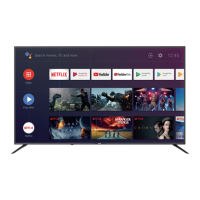

 To Next Page
 General