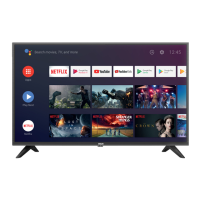
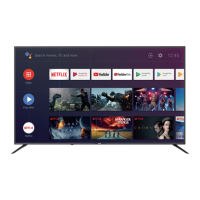
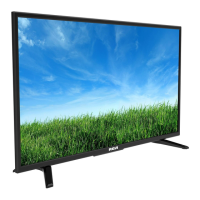
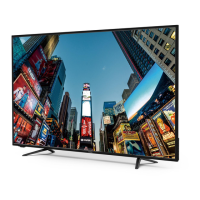
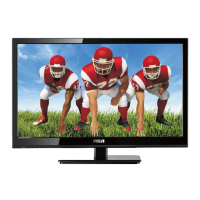
This document is a user manual for the RCA Roku TV, specifically models RTRU5828-CA. It provides comprehensive information on the TV's functions, technical specifications, usage, and maintenance.
Function Description
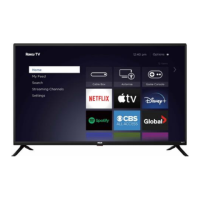
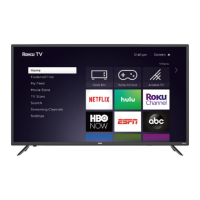
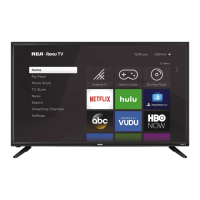
The RCA Roku TV is a smart television that integrates the Roku streaming platform, offering a wide range of entertainment options. Users can access various streaming channels, live TV (via antenna or cable box), and connect external devices such as game consoles, DVD/Blu-ray players, and sound systems. The TV's interface is designed for ease of use, with a home screen that provides quick access to featured free content, a movie store, a TV store, and streaming channels. It supports both wired (Ethernet) and wireless (Wi-Fi) internet connectivity for streaming services. The TV can be controlled using a remote control, and it includes features for managing channels, settings, and external inputs.
Important Technical Specifications
Model Name: RTRU5828-CA
Dimension (W × H × D):
- Without Stand: 51.1 × 29.6 × 2.5 inches (1299 × 754 × 64 mm)
- With Stand: 51.1 × 32.1 × 10.6 inches (1299 × 816 × 270 mm)
Weight:
- Without Stand: 31.5 lbs (14.3 kg)
- With Stand: 32.1 lbs (14.6 kg)
Active Screen Size (Diagonal): 58 inches
Resolution: 3840 × 2160 (4K UHD)
Audio Power: 8 W + 8 W
Rated Power Consumption: 150 W
Standby Power Consumption: <0.5 W
Power Supply: 100-240 V ~ 50/60 Hz
Refresh Rate:
- HDMI Input: 480i / 60Hz, 480p / 60Hz, 720p / 60Hz, 1080i / 60Hz, 1080p / 60Hz, 2160p / 60Hz
Receiving Systems:
- Analog: NTSC
- Digital: ATSC
Ports:
- 3 HDMI ports (HDMI1 ARC, HDMI2, HDMI3)
- 1 USB port
- 1 LAN port (Ethernet)
- 1 Optical audio output
- 1 RF input (Antenna/Cable)
- 1 Earphone Audio Output
- 1 RCA Composite Video input (shared with Y input for component video)
- 1 Left/Right Audio input for Composite
Other Features: Smart TV, HDR10 compatible, Dynamic contrast Picture, VESA standard wall mount support.
Usage Features
The RCA Roku TV offers a user-friendly experience with its integrated Roku platform.
- Home Screen: Provides centralized access to all content, including streaming channels, live TV, and connected devices.
- Streaming: Access to a vast library of streaming services like Netflix, Hulu, HBO NOW, ESPN, and ABC, among others.
- Live TV: Connect an antenna or cable box to watch broadcast or cable channels. The TV supports channel scanning and management.
- External Device Connectivity: Multiple HDMI ports allow connection of various devices such as Blu-ray players, game consoles, and soundbars. A USB port is available for media playback.
- Audio Output: Features an optical audio output for connecting to external sound systems, an earphone jack for private listening, and HDMI ARC for simplified audio connections with compatible soundbars.
- Network Connectivity: Supports both wired Ethernet and wireless Wi-Fi connections for internet access, enabling streaming and software updates. The TV supports WPA, WEP, and WPA2 security protocols for wireless networks.
- Remote Control: The TV is operated via a dedicated remote control, which includes buttons for power, volume, channel selection, and direct access to popular streaming services.
- Parental Controls: The manual implies the availability of parental control features, though specific details are not extensively covered in the provided excerpts.
- Troubleshooting Guide: A comprehensive FAQ section helps users diagnose and resolve common issues related to picture, sound, remote control, and network connectivity.
Maintenance Features
The manual outlines several aspects related to the maintenance and care of the RCA Roku TV to ensure its longevity and optimal performance.
- Cleaning: Users are advised to clean the TV with a dry cloth and avoid using liquid cleaners directly on the screen or cabinet.
- Ventilation: Proper ventilation is crucial to prevent overheating. The TV should be placed in a location that allows adequate airflow around the unit, and vents should not be blocked.
- Power Management: Unplugging the TV during lightning storms or when unused for long periods is recommended to prevent damage.
- Wall Mounting: Instructions are provided for attaching a wall mount bracket (not included), emphasizing the importance of using the correct screw size (M6) and VESA pattern (400 × 200 mm) for secure installation.
- Stand Installation: Detailed steps are given for attaching the TV stand, ensuring stability and proper support.
- Software Updates: As a smart TV, it is expected to receive software updates to improve functionality and security, although the manual does not detail the update process.
- Safety Instructions: Emphasizes important safety precautions, including reading all instructions, heeding warnings, and following proper installation guidelines to prevent electric shock, fire, or injury.
- Service and Warranty Information: Provides details on the limited product warranty, including terms, exclusions, and procedures for obtaining service. It specifies that RCA Service Dept. warrants the product to be free from defects in materials and workmanship for one year on parts and labor. Contact information for customer service and warranty claims is provided.
- Disposal: The manual implicitly advises against improper disposal of the appliance due to the presence of electronic components.
- Care for the Panel: Users are cautioned against pressing or hitting the LCD panel, as this can cause damage. Avoiding direct sunlight and extreme temperatures is also recommended.
- Remote Control Battery Replacement: Instructions are provided for replacing the batteries in the remote control, including the type of batteries to use and how to open and close the battery compartment.

 Need help?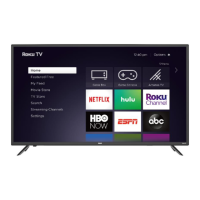

 To Next Page
 General