EN - 31
Tablet displays network or service error message
• When you are located in places with poor signal, your
tablet may lose its Wi-Fi connection. Try moving closer to
the Wi-Fi router.
Touch screen response is slow or incorrect
If the tablet’s touch screen response is incorrect, please try
the following:
• Remove any protective film on the touch screen. The
protective film may prevent the device recognition input.
• Make sure that your fingers are dry and clean before you
tap the touch screen.
• Restart the tablet to clear any temporary software bugs.
Tablet is frozen or a serious error appears
• If the tablet is frozen or suspended, you may need to close
the application or refresh your tablet.
• If the tablet is frozen or slow to respond, press and hold the
power button for 8 seconds to perform a hard shut down
and restart your tablet.
Trouble Shooting
Additional Information
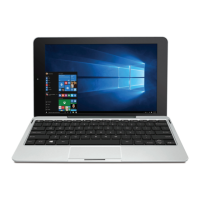
Windows is not active automatically
Windows will be active automatically once you connect your
tablet to a Wi-Fi network.
• Make sure that you have a Wi-Fi network connection.
• Please contact our Customer Support Center at support.
rcatablets.com



 To Next Page