IV. RECEIVER PROGRAMMING
The receiver has the ability to program operating parameters. Before starting programming, refer to Fig. 1
showing the view of the receiver to locate the programming buttons C1 and C2 and the LEDs.
The receiver exits programming mode without saving changes after 45 seconds of inactivity.
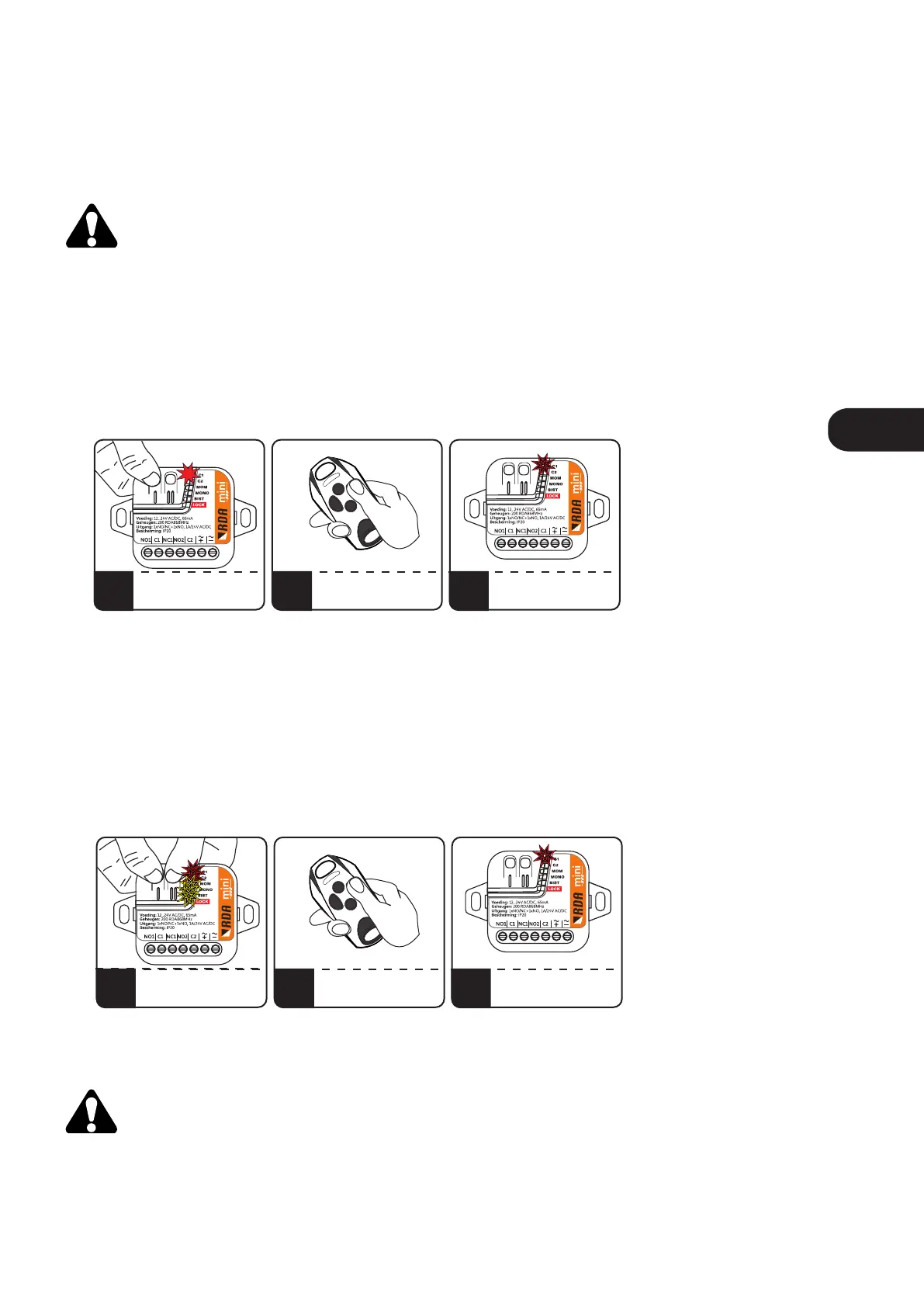
1. Adding a remote control to the receiver.
To add a remote control button to the receiver, press and hold the programming button for the selected C1
/ C2 output channel. The C1 / C2 LED will light up. Press the selected remote button to control the channel.
Successful adding is indicated by blinking and then the C1 / C2 LED goes off.
2. Removing the remote control from the receiver's memory.
To remove the remote control, press and hold C1 and C2 buttons on the receiver simultaneously, C1 + C2 +
MOM + MONO + BIST LEDs will flash, then press any button on the remote control to be removed.
Successful removal is indicated by blinking of the C1 LED.
Too long (longer than 14 seconds) holding down the C1 and C2 buttons will format the receiver's
memory.
1 2 3
PRESS AND HOLD C1/C2
C1/C2 LED GOES ON
PRESS THE SELECTED
REMOTE BUTTON
LED C1 / C2 BLINK AND
SWITCHES OFF
ADDING SUCCESSFUL
Fig. 2. Adding a remote control to the receiver.
1 2 3
PRESS AND HOLD C1 AND C2
LEDS WILL BLINK
PRESS THE REMOTE
BUTTON THAT YOU
WANT TO DELETE
C1 LED BLINKS
- DELETING SUCCESSFUL
Fig. 3. Removing the remote control from the receiver’s memory.
ENEN



 To Next Page