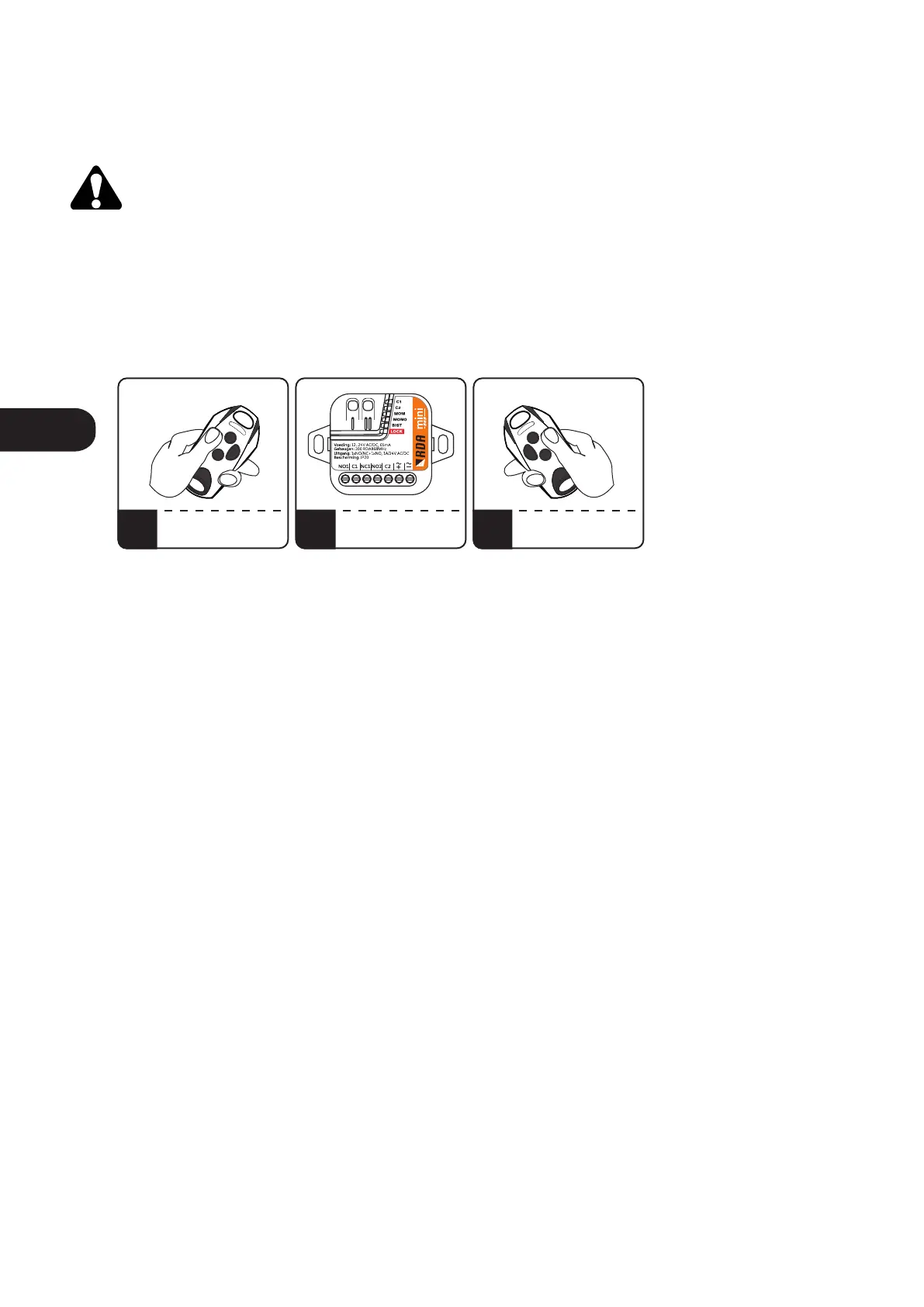
3. Remotely adding the remote to the receiver's memory.
The function of remote adding the remote allows you to add a remote control without having physical
access to the receiver. The condition for success is the necessity to be within the radio range of the receiver
and to have a previously added remote control.
The function is available only for RDA remotes.
To remotely add a remote control, press the button of the already added remote for 15 seconds within the
receiver's range. Then, within no more than 3 seconds, press and hold down the button of the remote
control to be added for 15 seconds.
The remote adding feature is not available when:
• configure the channel to work in momentary mode,
• enabled blockade of remote adding remotes,
• using remote controls from other manufacturers in the procedure,
• service-lock is enabled.
Unsuccessful adding of the remote control may be caused by:
• low battery of any of the remote controls,
• radio interference that may have occurred during the procedure,
• memory of the receiver is full (attempt to enter 201 remote control).
1 2 3
PRESS AND HOLD FOR
15 SECONDS BUTTON
OF "OLD" REMOTE
AFTER MAX 3 SECONDS
PRESS AND HOLD FOR
15 SECONDS BUTTON
OF "NEW" REMOTE
REMOTE IN RECEIVER
RADIO RANGE
REMOTE IN RECEIVER
RADIO RANGE
Fig.4 Remotely adding the remote control.
ENEN



 To Next Page