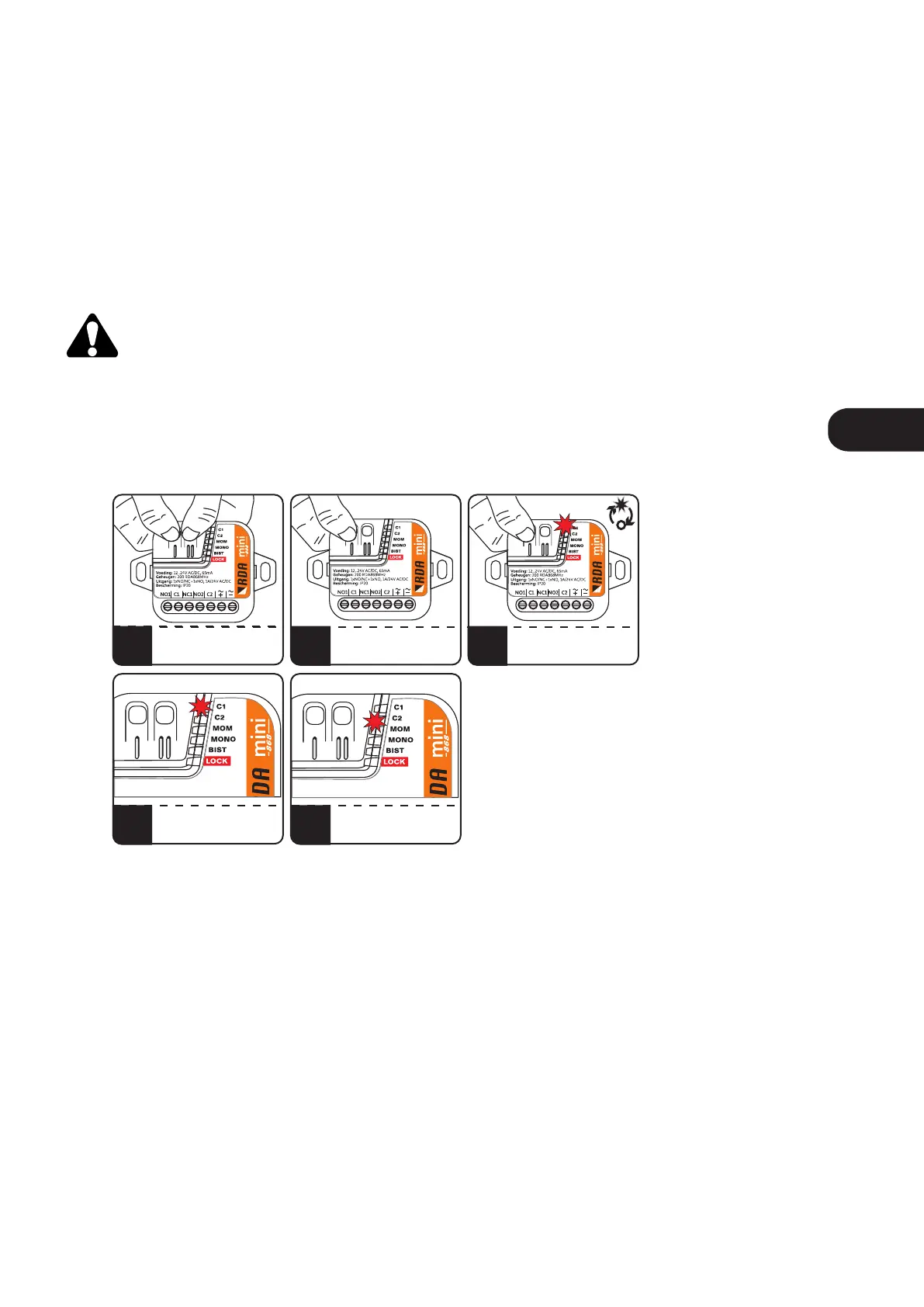
4. Lock / unlock remote adding function.
In order to protect the device against unauthorized attempts to add an additional remote control
(especially important in areas with protected user access), the remote adding function should be blocked.
In order to lock / unlock the remote adding function, press the C1 and C2 buttons, then release the C2
button. After 5 seconds the C1 and C2 LEDs will start flashing alternately every 5 seconds. Releasing the C1
button when:
• C1 diode is on - enables blockade of remote assigning
• C2 diode is on - disables the blockade of remote assigning
Releasing the C1 button before 5 seconds from the moment of releasing the C2 button will exit
the procedure without saving the changes.
Fig.5 Lock / unlock the remote adding function.
1
4a
2
4b
3
PRESS AND HOLD C1 AND C2
RELEASING C1 WHEN
C1 LIGHTS ON - REMOTE
ADDING IMPOSSIBLE
RELEASE C2
C1 AND C2 WILL FLASH
ALTERNATELY
EVERY 5 SECONDS
5s
RELEASING C1 WHEN
C2 LIGHTS ON
- REMOTE ADDING POSSIBLE
ENEN



 To Next Page