REACH DEC1000
User Manual
Copyright© Shenzhen Reach IT Co., Ltd. 20 / 24
changed)
Password: admin (factory default, can be changed after login)
Click [Login] button to enter the decoder management configuration
page.
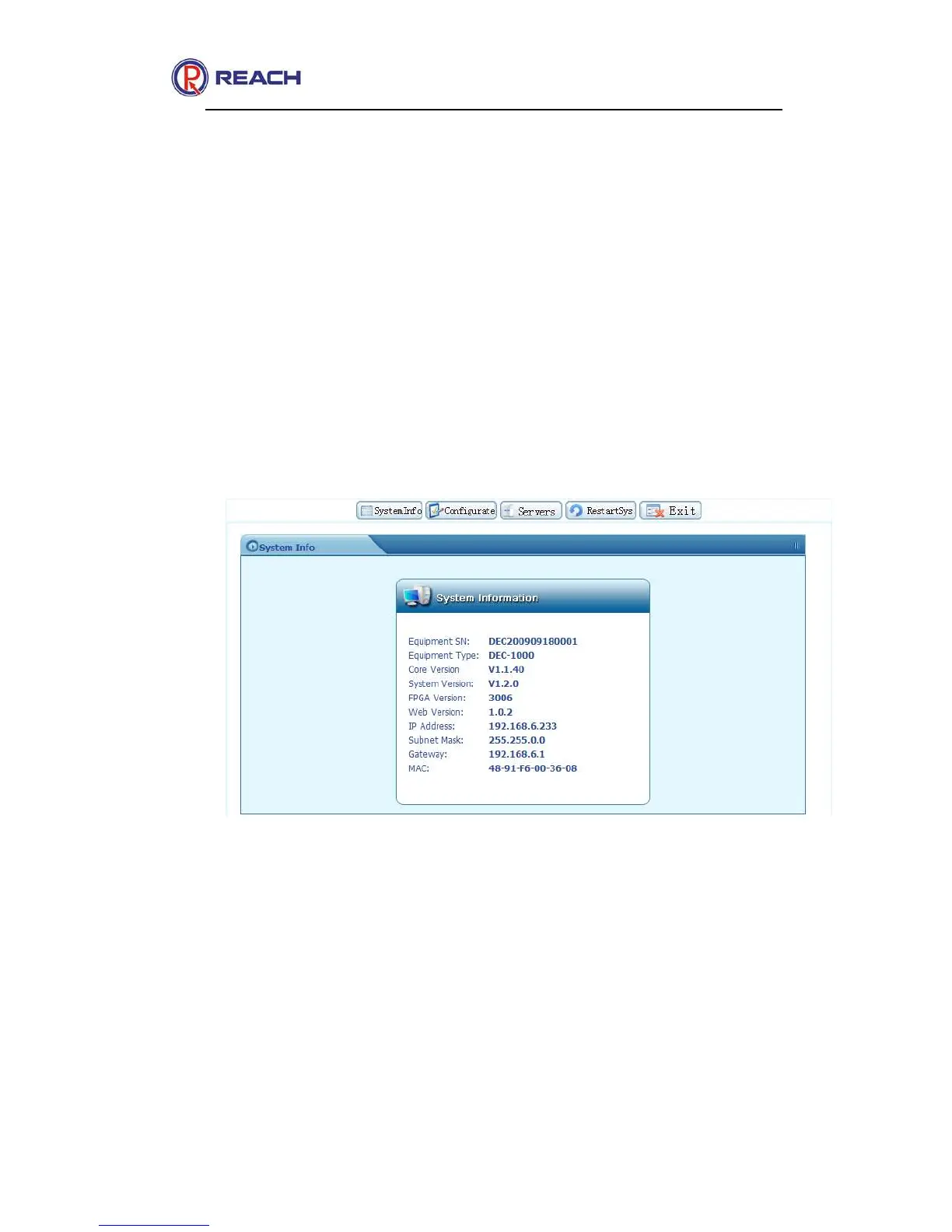
2.2.5.2 System Information
It mainly displays the system information, such as equipment serial No,
equipment type, core version, system version , web version, FPGA
version and IP address, as shown in the following figure:
2.2.5.3 Configurate
System configuration mainly includes language, password modification,
network setting, mode setting and system upgrade, etc., as shown in the
following figure:



 To Next Page