REACH DEC1000
User Manual
Copyright© Shenzhen Reach IT Co., Ltd. 7 / 24
2 Installation and Configuration
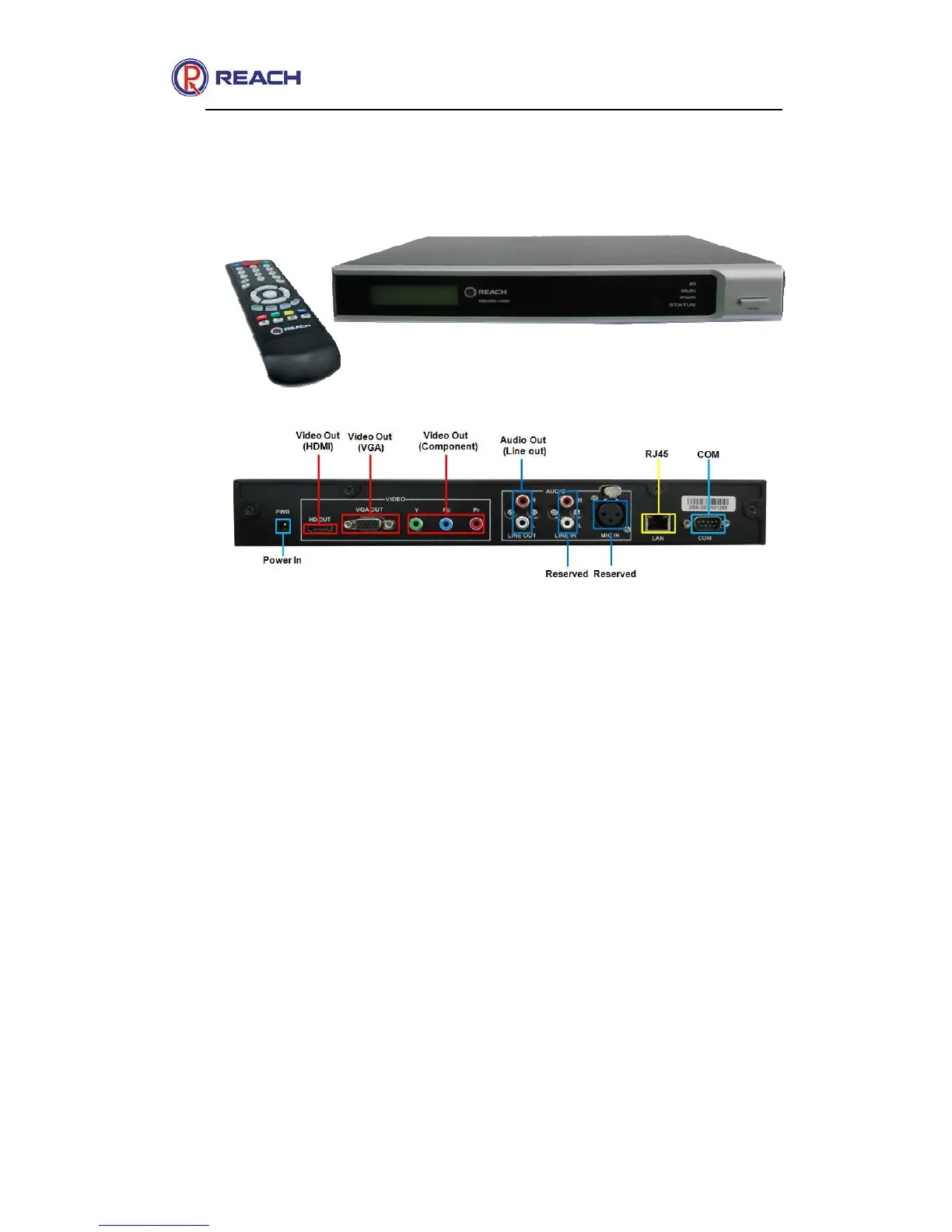
2.1 Product View
The above figure shows all ports and connection methods of the
decoder. Ports are selectively to be connected based on requirements
while installation (but Power, LAN, LIN OUT and HDMI/VGA/YPbPr must
be connected).
2.2 Decoder Configuration Instruction
2.2.1 Button function introduction of the remote controller
The decoder can do all the operations of receiving live streaming, play
on demand and parameter setting, with remote controller, as shown in the
following figure.



 To Next Page