REACH DEC1000
User Manual
Copyright© Shenzhen Reach IT Co., Ltd. 8 / 24
2.2.2 Network parameter setting
2.2.2.1 How to set the network address parameter
The leave-factory default IP address of the decoder is random, and you
can get it from the rolling information on the front LCD panel of the
equipment. To facilitate the explanation, assume that the decoder IP
address is 192.168.1.100, and the subnet mask is 255.255.255.0.
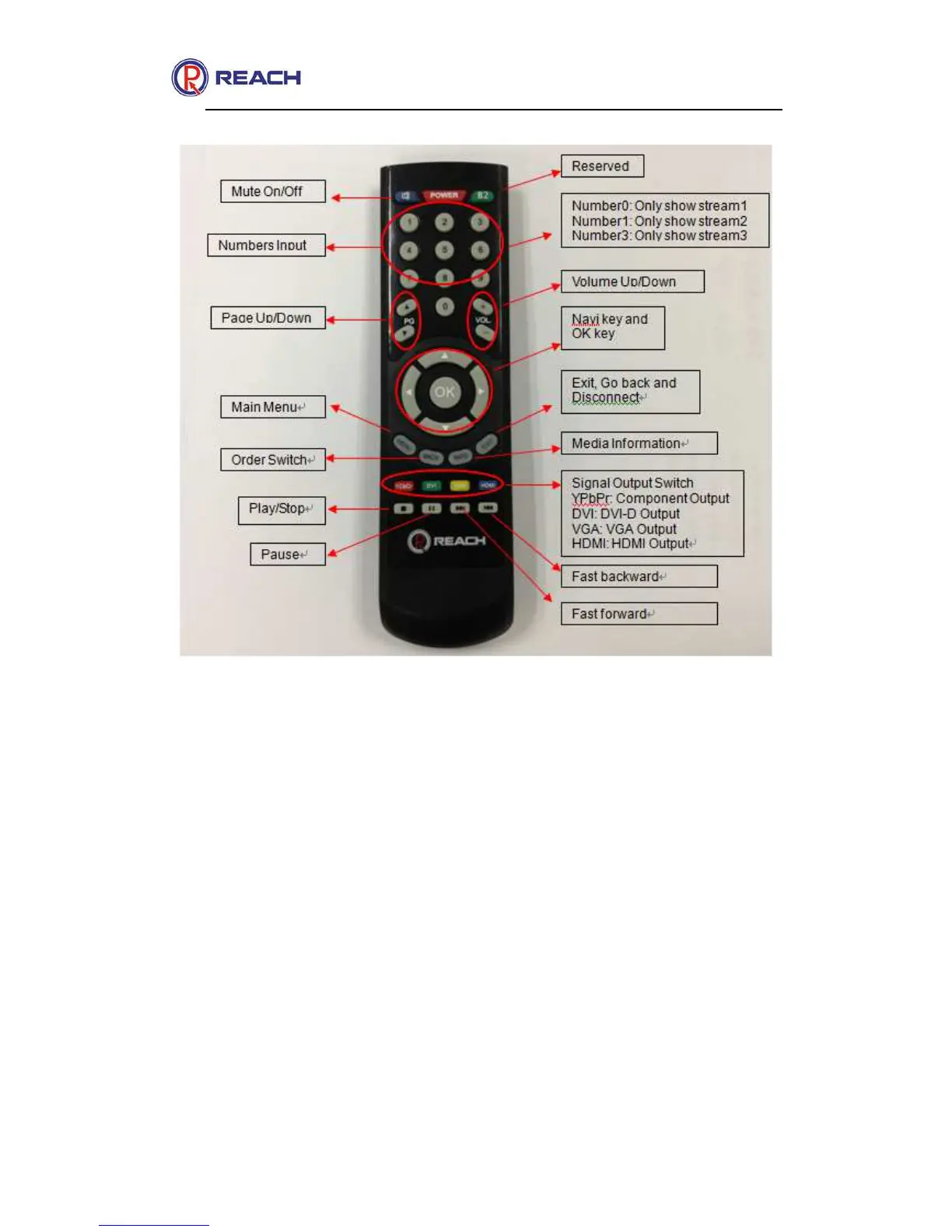
To change the network address parameter of the decoder, enter the
decoder menu interface, and select the “System setting” function menu by
the remote controller's [Left] and [Right] navigation buttons, then press
[OK], as shown in the following figure.



 To Next Page