
 Need help?
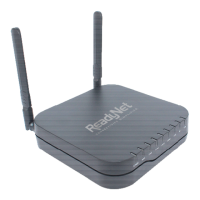
Do you have a question about the Ready Net AC1200M and is the answer not in the manual?
Explains the status and meaning of LED indicators for power, WAN, LAN, 2.4G, 5G, and USB.
Provides step-by-step instructions for physically connecting and installing the router.
Details how to use the voice menu to configure WAN port connection types and other settings.
Explains the user management system and login credentials for the web interface.
Guides users on how to access the router's web interface from the LAN port.
Step-by-step guide to access the web interface via a wired LAN connection.
Details how to enable and access the router's web interface remotely from the WAN port.
Explains web page navigation, sub-navigation bars, and control buttons like Save, Cancel, Reboot.
Explains how to view the system log for troubleshooting and monitoring.
Covers Wide Area Network (WAN) configuration options like Static IP, DHCP, and PPPoE.
Details how to configure the router with a static public IP address from an ISP.
Explains how to use DHCP for automatic IP address assignment from the ISP.
Describes Point-to-Point Protocol over Ethernet (PPPoE) connection setup for DSL or cable.
Covers configuration of the Local Area Network (LAN) settings, including IP address and DHCP server.
Explains how to configure port forwarding rules to allow external access to specific services.
Details how to set up a Demilitarized Zone (DMZ) for exposing a host to the internet.
Describes how to clone the MAC address for ISP registration purposes.
Guides on enabling wireless radios and configuring the Service Set Identifier (SSID).
Covers advanced wireless settings for administrative users, including protection modes and beacon intervals.
Explains how to set up encryption modes like WPA/WPA2 for wireless security.
Details Wi-Fi Multimedia (WMM) parameters for optimizing wireless traffic for different applications.
Describes Wi-Fi Protected Setup (WPS) for easy wireless connection with WPA and WPA2.
Provides information about connected wireless stations, including MAC address and signal quality.
Explains how to register SIP accounts for making voice calls via FXS ports.
Guides on configuring SIP account details through the web interface.
Shows how to check the SIP account registration status to confirm readiness for calls.
Introduces various phone features like dialing, call hold, and transfers.
Explains how to make calls to phone numbers or extensions using the VoIP features.
Describes how to make direct IP calls between VoIP devices without a SIP proxy.
Details how to put a call on hold and resume it using specific dial codes.
Explains the process of blind transferring a call to another party using dial codes.
Guides on how to perform an attended transfer of a call to another party.
Explains how to set up conference calls with multiple parties.
Covers various SIP parameters for customizing call behavior and network settings.
Details Voice over IP Quality of Service (QoS) settings to prioritize voice traffic.
Explains how to configure dial plans for managing outgoing calls and digit mapping.
Allows users to view the redial list and answered calls history.
Covers IP/Port filtering and default policy settings for network security.
Details the DMZ setting to expose a specific host to the internet.
Describes how to clone the MAC address to register with an ISP.
Explains how to configure port forwarding rules to allow external access to specific services.
Covers settings for filtering web content and URLs.
Covers user management, password reset, and VPN access settings.
Guides on setting the router's time zone and configuring NTP synchronization.
Explains configuration for remote management via a TR-069 server.
Instructions on how to log out of the router's administrative interface.
Instructions on how to reboot the router to apply changes or restart.
 General
| Wireless Standard | IEEE 802.11ac |
|---|---|
| Maximum Wireless Speed | 1200 Mbps |
| WPS Support | Yes |
| Frequency Bands | 2.4 GHz, 5 GHz |
| Wireless Speed | 867 Mbps (5 GHz) + 300 Mbps (2.4 GHz) |
| Security | WPA, WPA2 |
| Antennas | 4 x External Antennas |

 To Next Page