12
SERVICING AND MAINTENANCE (continued)
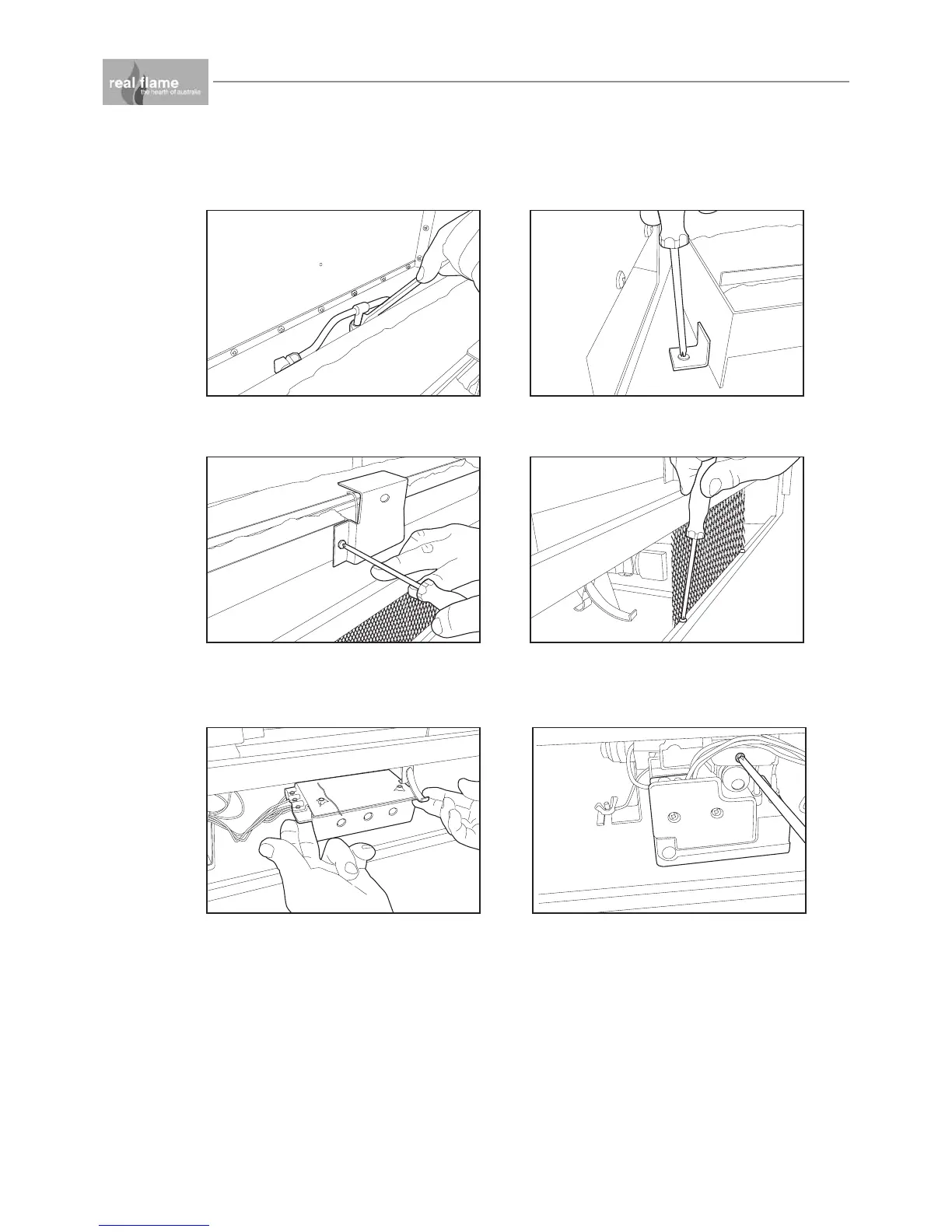
Figure (7) Remove holding screws from each
side of burner.
Figure (6) Undo bulkhead/burner nut.
Figure (8) Remove sparker cover from front of
burner and then gently remove burner taking
care not to move the sparker/sensor.
Figure (9) Remove front protection mesh by
removing screws.
Figure (11) To remove control module firstly
remove the rectifier
Figure (10) To remove the remote control
module, remove screw from lid, remove lid
and disconnect wiring, the module can then
be removed.


 To Next Page