RTL8710BN
2017‐12‐2613
5.Imagetooldownload
PleasereferenceAN0112RealtekAmeba‐ZImageToolusermanual.doc.pdffordetails.
AssumingthattheImageToolonPCisServer,whichsendsimagesfilestoAmeba‐Z(Client)through
UART.ClientorServer,whicheverstartsfirstwillbeok.
StepsonAmeba‐Z
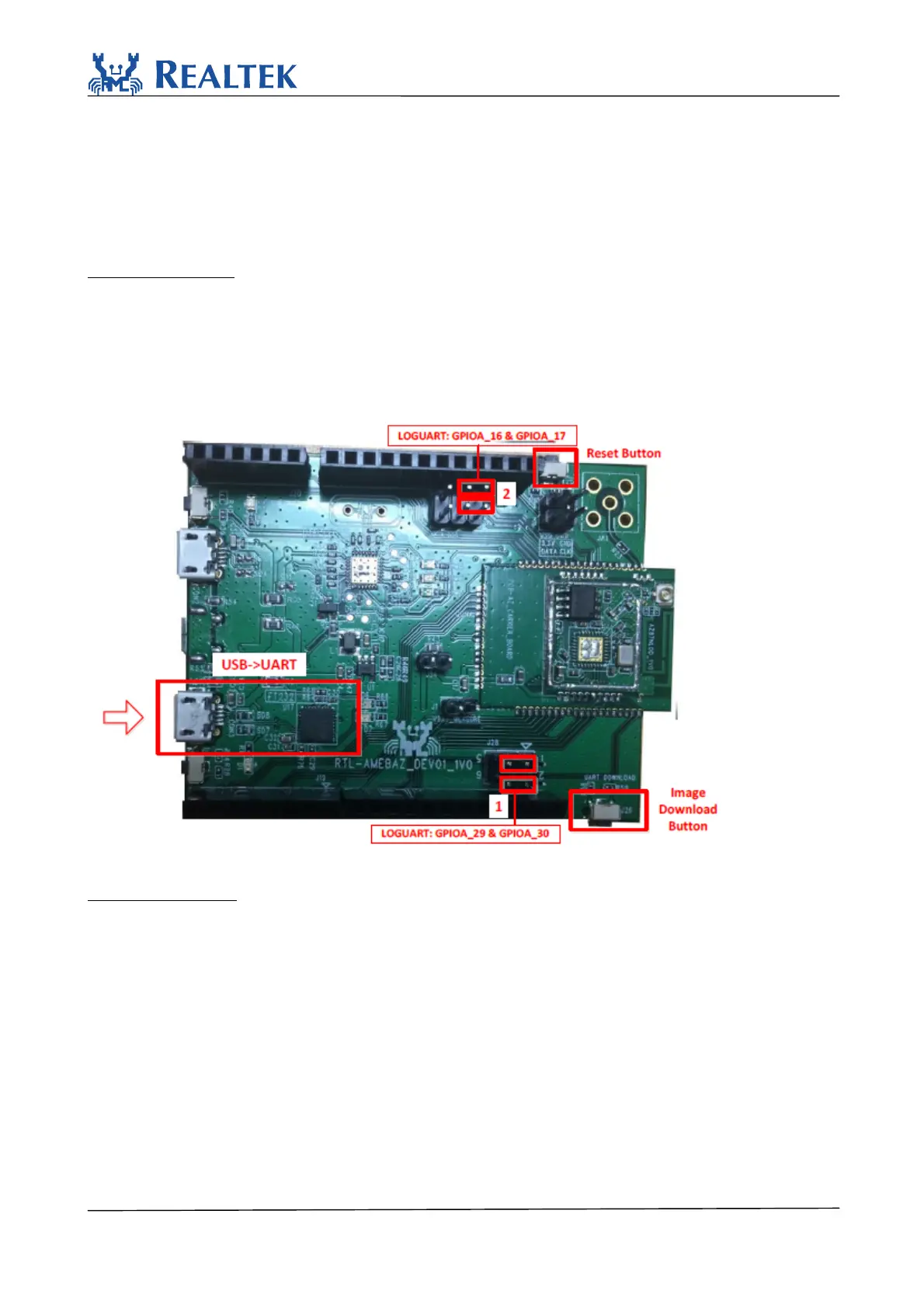
Step1:ForQFN32,pinsmarkedwith“1”onthefigureshouldbeconnectedbyjumpercap.
ForQFN48&QFN68,pinsmarkedwith “2”shouldb econnectedbyjumpercap.
Step2:PushtheImageDownloadButtonandkeepitpressed.
Step3:PowerontheboardorpresstheResetButton.NowAmeba‐ZgoesintoUARTDOWNLOAD
mode.
Step4:FinallyreleasetheImageDownloadButton.Nowtheclientisreadyforreceivingdata.
Figure5‐1AmebaZDEV
Stepsonimagetool
Step1:Selectserialport.Thedefaultbaudrateis1.5Mbps.
Step2:Selecttransmissionbaudrate
Step3:Openserialport
Step4:Checktheimagestobetransferred
Step5:SelectandloadimagesfilesbybrowsingwhicharegeneratedbyIARproject.
Step6:Inputimageaddresses.Theaddresswhichstartswith0x08isforflash,and0x10forRAM.
Step7:PushDownloadbuttontostart.Nowtheserverisreadytosenddata.



 To Next Page