21 RECONYX
®
, Inc.
Mounting Your Camera
Your RECONYX
®
HyperFire 2™ camera can be mounted to a RECONYX
®
Universal Camera Mount™ or a camera tripod by utilizing the threaded insert on
the bottom of the camera housing.
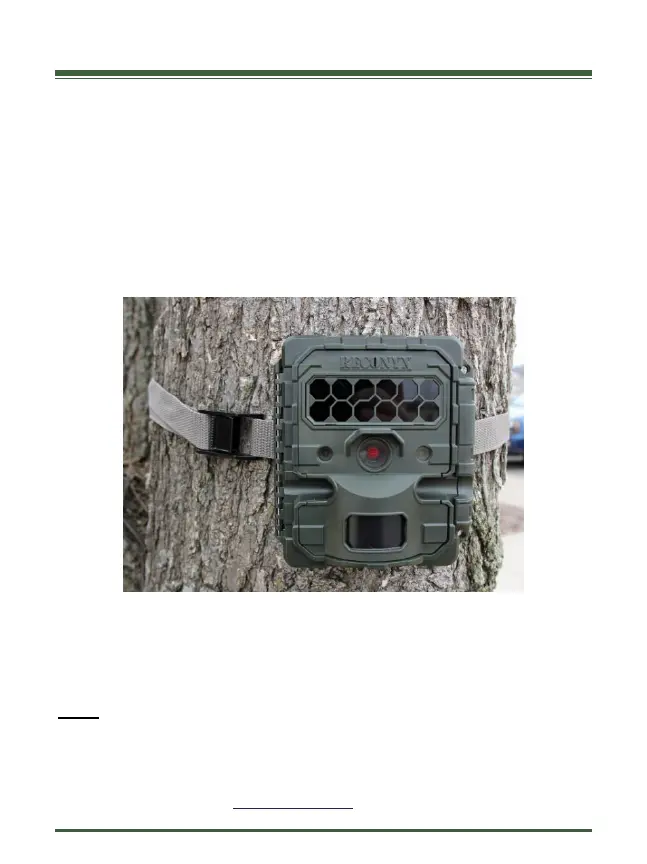
The camera can also be mounted to a tree by using the adjustable webbing strap
(shown below). You can secure the camera to a tree and lock it shut at the same
time with an optional Python™ cable lock by Masterlock
®
. Simply thread the
cable through the “Lock Tunnel” on the camera and then cinch in place around
the tree or post.
Mounting Camera with Adjustable Webbing Strap (included)
We recommend that you mount your camera at the approximate height of your
target subject, and then aim the camera straight out for the best chance of
sensing motion in the active detection zone.
NOTE: It is highly recommended that you use a theft deterrent device such as a
security box and/or a Python Lock™ by Master Lock
®
to help secure
your camera against possible theft when it is in the field.
You can purchase HyperFire 2™ compatible mounts, theft deterrent cable locks
and security enclosures at www.reconyx.com


 To Next Page