Need help?
Do you have a question about the Reconyx HYPERFIRE and is the answer not in the manual?
Lists the items included in the camera package.
Lists essential accessories and items required for camera setup and use.
Mentions optional software requiring a Windows PC for installation.
Compares the SC950 and SM750 models across various features like purpose, illumination, speed, and storage.
Software for mapping and image management using Google Maps technology.
Describes the RECONYX Security Scheduling software for setting camera on/off times.
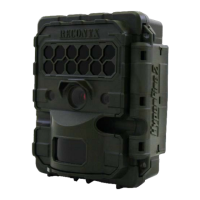
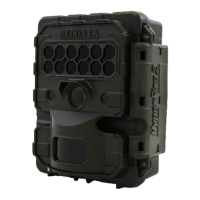
Details the various external and internal components of the HyperFire camera.
Shows the battery bays and provides instructions for battery installation.
Explains how to open the camera to access batteries, memory card, and controls.
Describes the function and importance of the breathable vent for weatherproofing.
Recommends Energizer Ultimate Lithium or high-quality NiMH batteries, advising against alkaline.
Instructs on proper battery orientation and warns against mixing battery types.
Compares performance of Lithium and NiMH batteries regarding operating temperature and image count.
Explains how the camera displays battery status and how to set the battery type.
Provides step-by-step instructions for inserting and removing SD cards, with warnings.
Details steps for formatting memory cards using Windows OS or MapView software.
Guides on turning on the camera and setting initial date/time.
Explains the factory default settings for SC950 and SM750 models.
Describes the two main levels of programming options: Main Menu and Advanced Settings.
Explains the information displayed on the camera's LCD screen during programming.
Visual representation of how to navigate through various camera settings using buttons.
Explains the symbols used in the diagram and highlights default settings in red.
Explains how to arm the camera and use WalkTest mode to check motion detection zones.
How to check pictures taken, memory card space, battery power, and camera info.
Allows modification of camera functions, including battery type selection.
Adjust motion sensor, sensitivity, pictures per trigger, interval, and quiet period.
Configures start/end times and intervals for time-lapse events.
Manages loop recording to overwrite old images when the card is full.
Sets image resolution and adjusts night exposure settings for SC950.
Adds a four-digit code, sets date/time, and adds a text label to photos.
Restores camera settings to factory defaults.
Explains how to use the included software to schedule camera on/off times.
Details how to set daily schedules for different days of the week.
Describes mounting methods using VersaMount, tripods, or the included bungee cord.
Provides recommendations for camera height and angle for general surveillance.
Recommends using security boxes or locks to prevent camera theft.
Explains using Python Locks and padlocks for securing the camera.
Details available security enclosures for added protection against theft.
Advises enabling the Codeloc™ feature for additional security.
Explains how the PIR motion detector works and its detection zones.
Outlines the two conditions needed for the camera to capture an image (temperature difference, movement).
Provides instructions on how to use the Walktest mode to test camera aim.
Offers specific aiming advice for the SM750 model for license plate capture.
Recommends camera mounting height, angle, and distance for license plate capture.
Shows how license plate visibility changes with distance from the camera.
Explains the information displayed in the top and bottom data bands of captured images.
Mentions accessing more image data (serial number, firmware, battery voltage) via MapView.
Instructions for cleaning and removing the IR Mask.
Recommends using a desiccant system for humid conditions.
Lists custom hardware options like extenders, cellular capability, and lenses.
Advises checking the website for firmware updates for new features and performance.
Discusses causes and solutions for reduced nighttime image range.
Addresses cloudy or out-of-focus images and their potential causes.
Explains how to diagnose and prevent false triggers.
Provides steps to troubleshoot when the camera fails to trigger.
Addresses "card error" messages and the importance of the card's lock switch.
Discusses how cold weather affects battery performance and the LCD display.
Explains reduced battery life in hot weather and potential causes.
Outlines the terms and conditions of the hardware warranty.
States compliance with FCC rules regarding interference.
Advises on avoiding magnetic fields and condensation to prevent camera malfunctions.
Lists critical warnings regarding water, power sources, and heat.
Prompts users to record essential camera and purchase details.
Instructions for registering the camera online or via mail for warranty.
Lists trademarks, registered trademarks, and copyright information for the product.
 General
| Trigger Speed | 0.2 seconds |
|---|---|
| Battery Life | Up to 1 year |
| Weatherproof | Yes |
| Battery Type | 12 AA batteries |
| Image Resolution | 3.1 MP |
| Detection Range | 100 feet |
| Memory Card | SD card (up to 32GB) |
| Flash Type | Infrared |
| Operating Temperature | -20° to 120° Fahrenheit |

 To Next Page