23 ©RECONYX, Inc.
Image Data Information
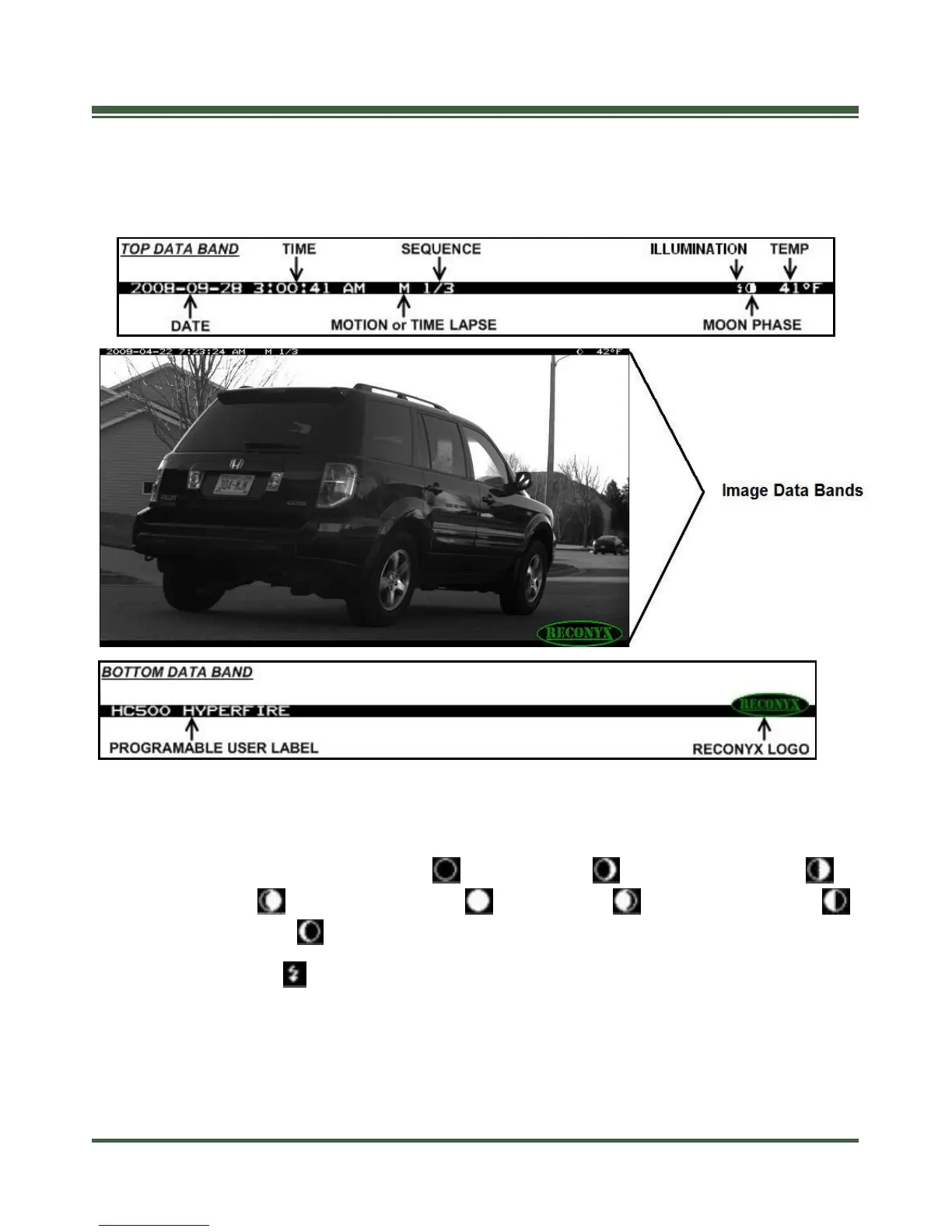
Your RECONYX™ HyperFire™ camera stores Image Data along with every
picture it takes. Some of this information is displayed in Image Data bands above
and below the image.
An M or T in the top data band indicates a “motion” or “time-lapse” event.
“1/3” indicates the first in a sequence of three pictures for that event.
Moon Phases displayed include: (new moon), (waxing crescent),
(first quarter), (waxing gibbous), (full moon), (waning gibbous),
(last quarter), and (waning crescent).
An “Illumination” indicator appears in the Image Data bands, when the
infrared illuminator is used.
TIP: There is additional image data accessible using MapView
TM
; including
camera serial number, firmware version, battery voltage, and much more.


 To Next Page